The FIFINE Ampligame SC3W Gaming Audio Mixer with Indi-Fader and Volume Control review is most relevant to streamers who want physical control over microphone and other audio levels while gaming or recording.
Its four channel controls, XLR input, monitoring, and entertainment effects make it a flexible desktop hub, provided its connection layout suits your setup.
AmpliGame SC3W Review Summary
The quick verdict
4,000+ ratings
Read Amazon ReviewsFIFINE AmpliGame SC3W
A practical fit for streamers seeking hands-on control of an XLR mic and several audio channels, with monitoring and built-in sound effects.
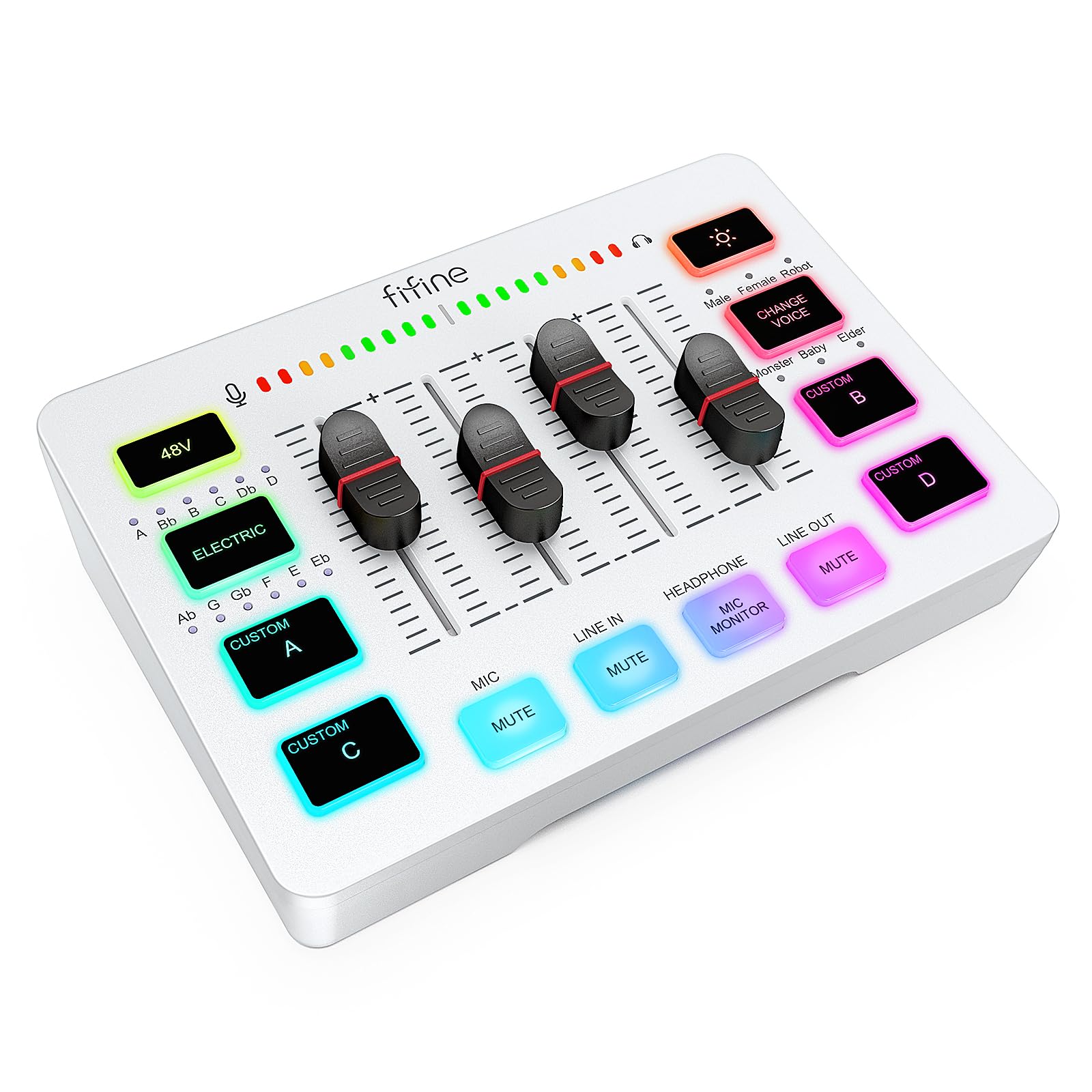
- Four individual channels can be adjusted separately using volume faders.
- XLR microphone input with built-in 48V phantom power for condenser microphone use.
- Mute button, volume adjustment, and real-time monitoring.
- Multiple rear audio ports intended for connecting different devices or setting up dual PCs for live streaming.

Pros
- Four physical channel controls make separate level adjustments accessible at the mixer.
- XLR input and 48V phantom power provide a path for using a condenser microphone.
Consider before buying
- The description does not spell out the exact port types and routing, so buyers should confirm that their intended devices and two-PC workflow match the rear connections.
- The listed controls and effects focus on streaming and entertainment; the supplied information does not establish that it offers the deeper routing or processing needed for more complex recording work.
Read the full review summary
The AmpliGame SC3W combines four individually adjustable channels with an XLR microphone interface, 48V phantom power, a mute button, and real-time monitoring.
Its physical faders are useful when you want to make level adjustments at the mixer instead of reaching for software controls, while RGB lighting and voice effects add a more playful streaming focus.
It is aimed at solo creators and gamers who want to combine a microphone with other audio devices, including setups that use two PCs.
Buyers should map their mic, headphones, line input, and output needs to the available ports before choosing it; the product description confirms multiple audio ports but does not detail every connection or compatibility case.
The buying factors
AmpliGame SC3W Scorecard
Editorial scores reflect listed features and buyer fit; they are not laboratory measurements or customer ratings.
Hands-on channel control
Four individual controls and volume faders support quick, separate level adjustments.
Microphone flexibility
The XLR input and built-in 48V phantom power accommodate condenser microphones, though the description gives no further mic specifications.
Monitoring and mute
Mute and real-time monitoring are useful live controls for streaming and recording.
Setup versatility
Multiple audio ports and support for two-PC arrangements give it several potential roles, subject to checking the port layout for your gear.
Streaming effects
Voice changing, a customizable sound button, and RGB lighting add interactive options for entertainment streams.
Ease of operation
The fader-based controls aim to make adjustments direct, though the supplied details do not explain setup steps or software support.
Key Features and Specifications of AmpliGame SC3W
- Four individual channels can be adjusted separately using volume faders.
- XLR microphone input with built-in 48V phantom power for condenser microphone use.
- Mute button, volume adjustment, and real-time monitoring.
- Multiple rear audio ports intended for connecting different devices or setting up dual PCs for live streaming.
- RGB lighting for a gaming or streaming desk.
- Voice changing and a customizable sound button for adding interaction during entertainment streams.
Pros and Cons of AmpliGame SC3W
Pros
- Four physical channel controls make separate level adjustments accessible at the mixer.
- XLR input and 48V phantom power provide a path for using a condenser microphone.
- Mute and real-time monitoring cover useful controls for live voice work.
- Multiple ports allow it to serve as a connection point for varied audio devices, including a dual-PC arrangement.
- Voice changing, a sound button, and RGB lighting suit playful or audience-focused streams.
Consider before buying
- The description does not spell out the exact port types and routing, so buyers should confirm that their intended devices and two-PC workflow match the rear connections.
- The listed controls and effects focus on streaming and entertainment; the supplied information does not establish that it offers the deeper routing or processing needed for more complex recording work.
- Condenser microphone use is supported through phantom power, but buyers should check that their particular microphone and cable setup is appropriate before purchase.
Who Should Buy AmpliGame SC3W?
Good fit
Consider the AmpliGame SC3W if you stream or record with one XLR microphone and want to adjust several audio channels by hand.
Separate faders can make level changes feel immediate, while monitoring and a mute button provide practical controls during a live session.
It is also worth considering for a gaming setup that blends several devices or uses two PCs.
Before buying, sketch the signal path from microphone and other sources through the mixer to your headphones and computers, then verify that the physical ports support that arrangement.
The built-in 48V phantom power is useful if your condenser microphone requires it, and the voice changing and sound button may appeal if you use audio effects as part of your stream.
Keep your main priority on the connection layout and controls; lighting and effects are optional extras.
Who should skip it
Skip this model if your setup depends on a USB microphone and you have not confirmed a compatible connection path. The description specifically identifies an XLR microphone interface, so check the intended mic connection before committing.
Look elsewhere if you need a mixer for a complex production workflow and require detailed routing or processing specifications before purchase. The available feature information centers on channel faders, basic monitoring, and streaming effects.
How the AmpliGame SC3W Fits a Streaming Setup
Four faders make live adjustments tangible
Individual channel controls give the SC3W a clear appeal for creators who prefer reaching for a physical control during a stream.
This can make routine level balancing more direct, though buyers should confirm which sources map to each channel for their intended setup.
The XLR input points toward a dedicated mic setup
An XLR input and built-in 48V phantom power make the mixer relevant to users with a condenser microphone. Since microphone requirements differ, check the mic's connection and power needs before relying on the mixer as its interface.
Monitoring and mute suit live voice work
Real-time monitoring provides a way to listen while speaking, and a mute button gives a quick control for pauses.
These functions are particularly pertinent when managing a live voice feed, but the description does not specify additional monitoring modes.
Port planning matters for multi-device use
The SC3W is positioned for multiple audio devices and dual-PC streaming, but those workflows depend on how each source and destination connects. Check the back-panel port arrangement against your computers, headphones, and other audio gear before purchase.
Alternatives to AmpliGame SC3W
DJ Mixers alternative
300+ ratings
Read Amazon ReviewsFIFINE AmpliGame SC8
Choose the SC3W if its fader-based channel control and described multi-device setup align with your workflow.
Consider the SC8 if game/chat balancing, virtual surround, EQ presets, or its listed connection options better match your gaming audio needs; confirm microphone compatibility first.
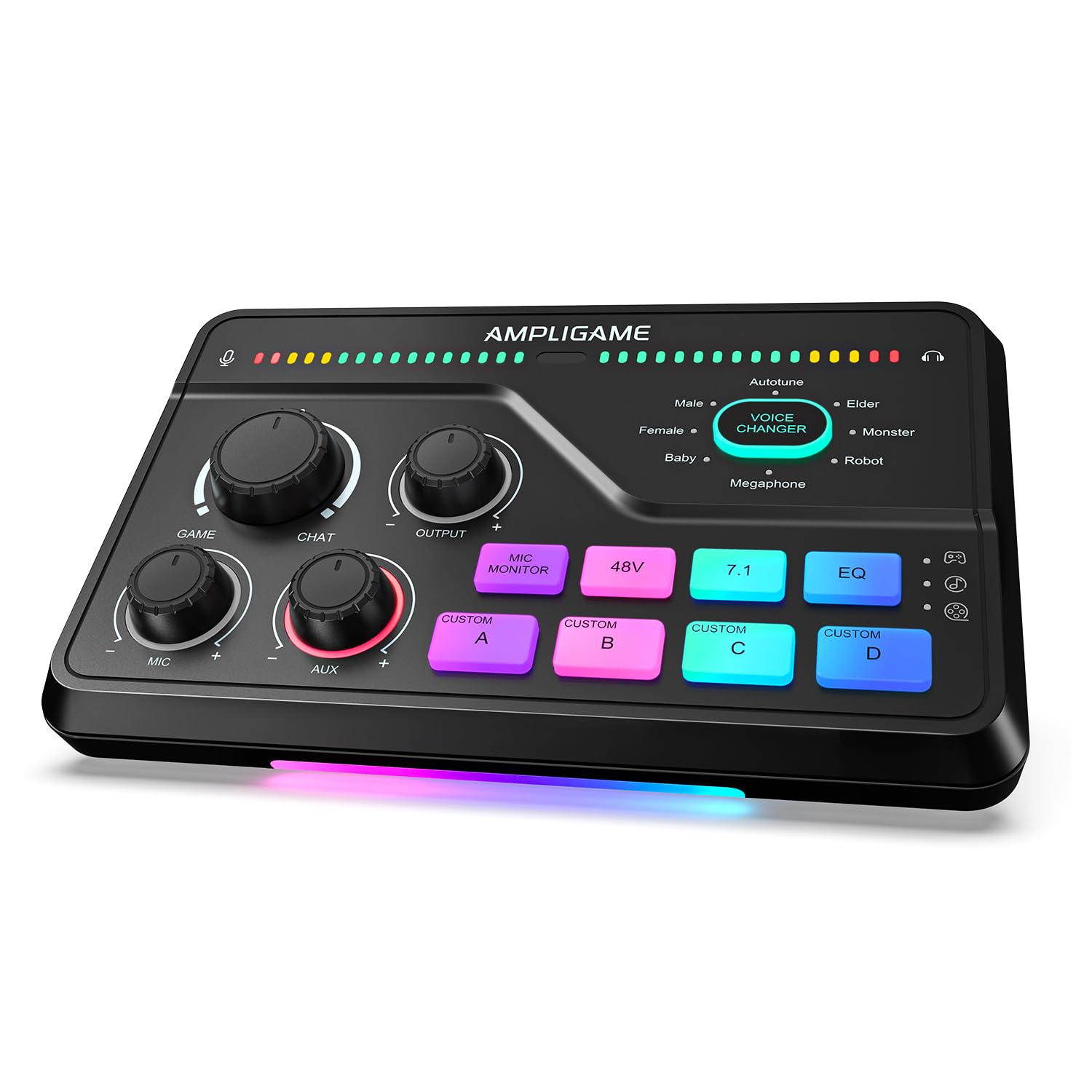
- The AmpliGame SC8 adds a dedicated game/chat balance dial, virtual 7.1 headphone surround, three EQ modes, and multiple connection options including optical AUX, 3.5mm AUX-In, and USB-C.
- Its description supports XLR or 6.35mm microphones and says USB microphones are not compatible.
- The AmpliGame SC3W centers on four individual fader controls, an XLR microphone input with 48V phantom power, monitoring, and streaming-oriented effects.
DJ Mixers alternative
300+ ratings
Read Amazon ReviewsFIFINE AmpliGame SC8P
The SC3W is the closer fit if you specifically want its four-channel fader layout.
The SC8P may suit a gaming-focused setup better if you want the described surround, EQ, and cross-device inputs; check that its connection and control scheme fits your routine.
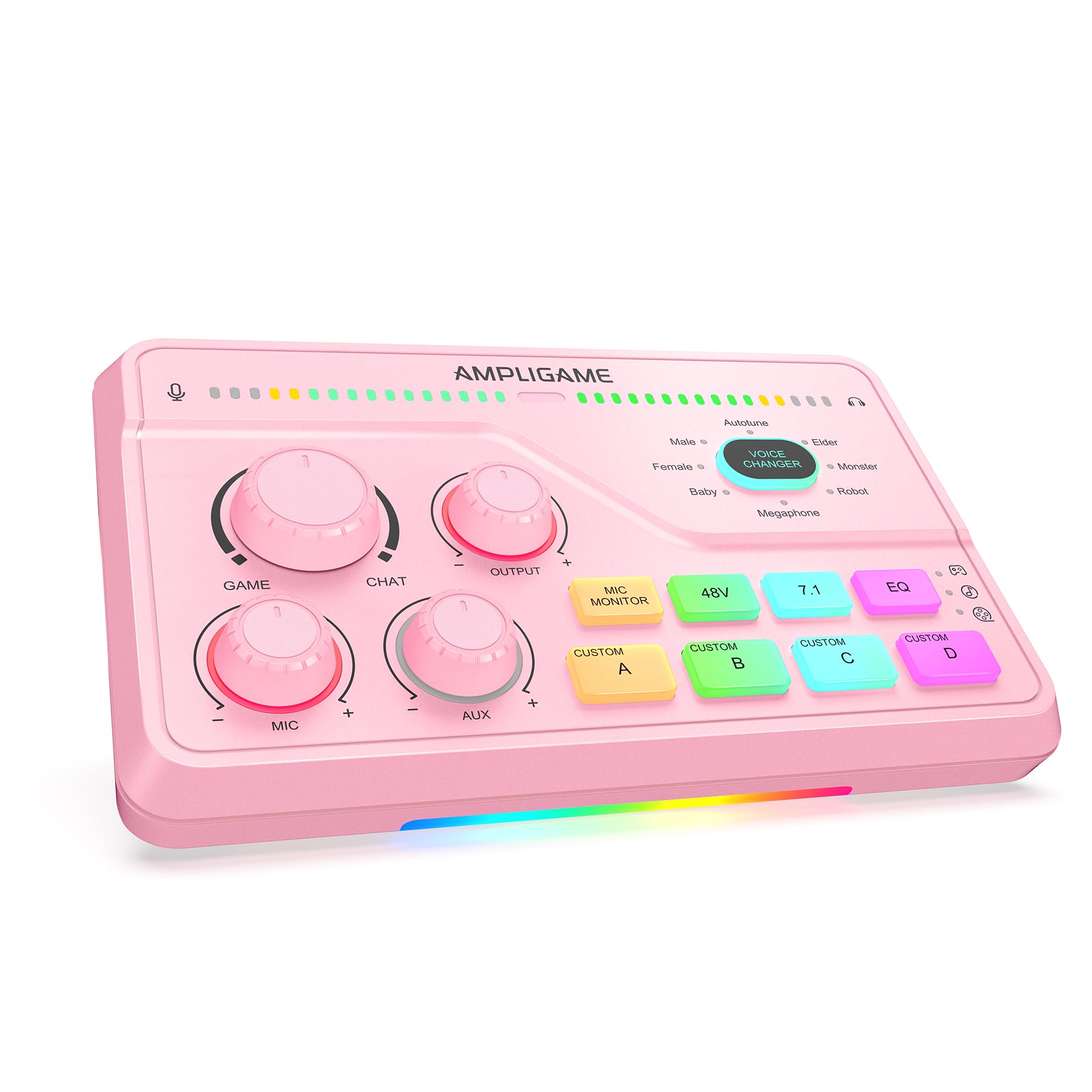
- The SC8P combines XLR input and phantom power with three volume knobs that include mute buttons, virtual 7.1 surround, three EQ modes, voice changing, four sound keys, USB-C plug-and-play, optical AUX, and 3.5mm AUX-In.
- The AmpliGame SC3W offers four individual channel faders, XLR input with 48V phantom power, real-time monitoring, and a customizable sound button.
Is AmpliGame SC3W Worth It?
The FIFINE AmpliGame SC3W is worth considering for streamers who want hands-on control of multiple audio channels, an XLR microphone connection with phantom power, and basic monitoring tools in one mixer.
Its faders, mute button, and multi-device positioning support a practical live setup.
Before buying, confirm the rear-port layout against your microphone, computers, and other audio sources.
Choose it for the physical controls and streaming-focused features; consider a different model if your priority is a more specifically defined gaming audio feature set or a more complex production workflow.
Your review at a glance
4,000+ ratings
Read Amazon ReviewsFIFINE AmpliGame SC3W
A practical fit for streamers seeking hands-on control of an XLR mic and several audio channels, with monitoring and built-in sound effects.
- Four individual channels can be adjusted separately using volume faders.
- XLR microphone input with built-in 48V phantom power for condenser microphone use.
- Mute button, volume adjustment, and real-time monitoring.
- Multiple rear audio ports intended for connecting different devices or setting up dual PCs for live streaming.