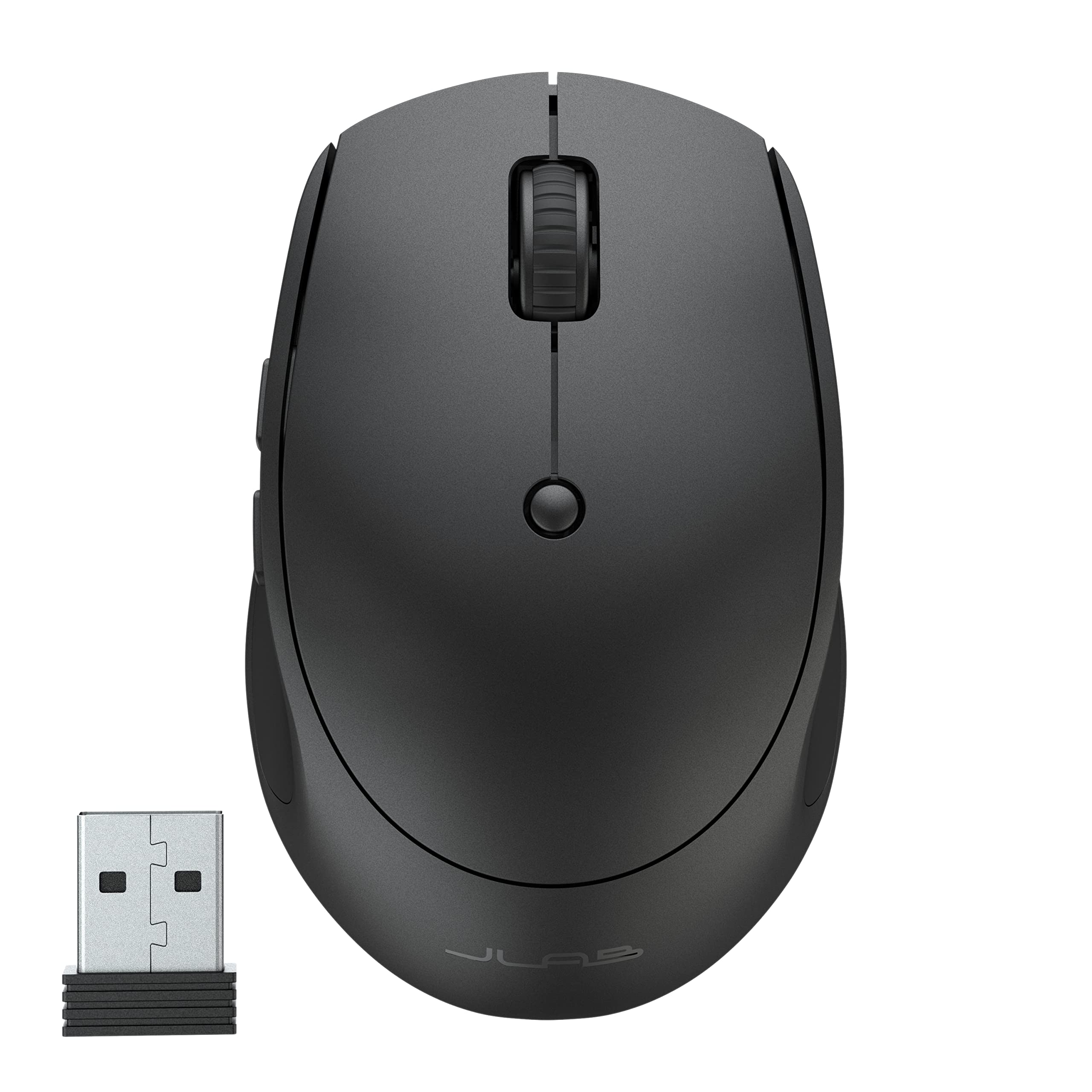
The JLab GO Charge Wireless Mouse Bluetooth USB Dongle Multi-Device Compact Rechargeable review centers on a portable work mouse built for people who move between computers and prefer quiet clicks.
Its rechargeable design, adjustable tracking, and three-device connectivity make it a flexible option for everyday productivity.
JLab GO Charge Review Summary
The quick verdict
1,000+ ratings
Read Amazon ReviewsJLab GO Charge Wireless Mouse
A compact rechargeable mouse for people who switch between several devices and want quiet clicks for work or travel.
- Rechargeable battery with a claimed four-plus months of use per charge.
- Adjustable DPI tracking to tune cursor speed for different tasks or screen setups.
- Silent click buttons intended to reduce clicking noise during work.
- Connects with up to three devices using Bluetooth 5 or a USB wireless dongle, with instant switching.

Pros
- Three-device pairing can reduce the need to keep separate mice for a multi-device setup.
- Choice of Bluetooth or a USB dongle offers connection flexibility.
Consider before buying
- The compact size may be less comfortable for people who prefer a larger mouse or have larger hands; check its dimensions and shape against your grip preferences.
- The product description does not specify the DPI range or adjustment steps, so buyers who need precise sensitivity levels should confirm those details before choosing.
Read the full review summary
The GO Charge combines a compact form with three-device connectivity, letting you pair through Bluetooth 5 or a USB wireless dongle and switch among devices.
That setup can simplify a shared desk or a travel routine where a laptop, tablet, or other compatible device takes turns being the focus.
Its silent click buttons are designed for quieter work sessions, while adjustable DPI gives you a way to tune cursor speed to your workspace.
The mouse is aimed at portability and general productivity, rather than specialized gaming or ergonomic needs; buyers should consider whether its compact shape suits their hand and how they plan to connect each device.
The buying factors
JLab GO Charge Scorecard
Editorial scores reflect listed features and buyer fit; they are not laboratory measurements or customer ratings.
Multi-device flexibility
It can pair with up to three devices through Bluetooth 5 or the included USB wireless dongle, with instant switching described.
Travel practicality
The compact, lightweight design is intended to slip into a bag, and the rechargeable setup avoids carrying spare batteries.
Quiet work suitability
Silent click buttons are designed for work sessions where click noise is unwelcome.
Cursor adjustment
Adjustable DPI tracking allows users to change cursor speed, though specific DPI steps are not provided.
Platform range
Compatibility spans Windows, Mac/iOS, Android, and Chrome OS, giving it broad everyday-device appeal.
Long-term ownership support
A two-year warranty is included, and the rechargeable battery is described as lasting four or more months per charge.
Key Features and Specifications of JLab GO Charge
- Rechargeable battery with a claimed four-plus months of use per charge.
- Adjustable DPI tracking to tune cursor speed for different tasks or screen setups.
- Silent click buttons intended to reduce clicking noise during work.
- Connects with up to three devices using Bluetooth 5 or a USB wireless dongle, with instant switching.
- Compatible with Windows, Mac/iOS, Android, and Chrome OS.
- Compact, portable design backed by a two-year JLab warranty.
Pros and Cons of JLab GO Charge
Pros
- Three-device pairing can reduce the need to keep separate mice for a multi-device setup.
- Choice of Bluetooth or a USB dongle offers connection flexibility.
- Rechargeable design and a long stated interval between charges suit travel and daily use.
- Silent clicks are a useful design choice for shared workspaces and quiet environments.
Consider before buying
- The compact size may be less comfortable for people who prefer a larger mouse or have larger hands; check its dimensions and shape against your grip preferences.
- The product description does not specify the DPI range or adjustment steps, so buyers who need precise sensitivity levels should confirm those details before choosing.
- A USB wireless dongle requires a suitable port or adapter, while Bluetooth setup may be preferable on devices without an available USB connection.
Who Should Buy JLab GO Charge?
Good fit
Consider the JLab GO Charge if you work across a laptop and other devices and want to switch among them without carrying multiple mice.
Pairing through Bluetooth or a USB wireless dongle gives you a choice of connection method, and the stated three-device support is particularly useful for a shared or flexible workstation.
It also makes sense for mobile work if a compact mouse and rechargeable battery suit your routine.
The four-plus-month battery claim and two-year warranty add practical appeal, while silent clicking may be welcome in a library, office, or home where others are nearby.
Before buying, compare the mouse’s compact form with the shape you find comfortable and check the connection options on each device you plan to use.
If cursor speed matters for detailed work, verify that its DPI adjustment range fits your preference.
Who should skip it
Skip this model if you specifically need a larger or strongly contoured ergonomic mouse; the GO Charge is described as compact and portable, and the information provided does not establish a vertical or specialized ergonomic shape.
It is also a less direct fit if your priority is gaming-focused tracking or clearly specified sensitivity levels. Its described emphasis is quiet, multi-device productivity, and the DPI range is not given.
How the JLab GO Charge Fits a Multi-Device Workday
Switching between devices
Support for up to three paired devices addresses a common desk and travel need: using one pointing device across more than one computer or compatible mobile device.
Bluetooth 5 and a USB wireless dongle provide two connection paths, while instant switching is designed to reduce the friction of moving between them.
Buyers should map those options to their actual devices before deciding which pairing method will be most convenient.
A portable, rechargeable setup
The compact design is built around portability, and the rechargeable battery is described as lasting four or more months per charge.
That combination may suit commuters and people who move between work locations, since it reduces the need to pack spare batteries.
Actual battery life will depend on use, so the stated duration is best treated as an expected upper claim rather than a guarantee for every routine.
Quiet clicks and cursor control
Silent click buttons target environments where audible mouse clicks can be distracting. Adjustable DPI tracking complements that design by allowing users to set a preferred cursor speed, which can help when moving between different screen sizes or tasks.
The available information does not give exact DPI steps, so users with a specific sensitivity requirement should check that point before purchase.
Comfort and compatibility checks
The product is presented as ergonomic and suitable for extended work, but its compact proportions remain a key fit consideration.
Hand size, grip, and daily session length can affect comfort, so anyone particular about mouse shape should compare the physical dimensions before buying.
The listed operating-system support is broad, but connection needs can vary; confirm Bluetooth or USB availability across the devices you intend to pair.
Alternatives to JLab GO Charge
Computer Mice alternative
2,000+ ratings
Read Amazon ReviewsSABRENT Mini Travel Wireless Mouse
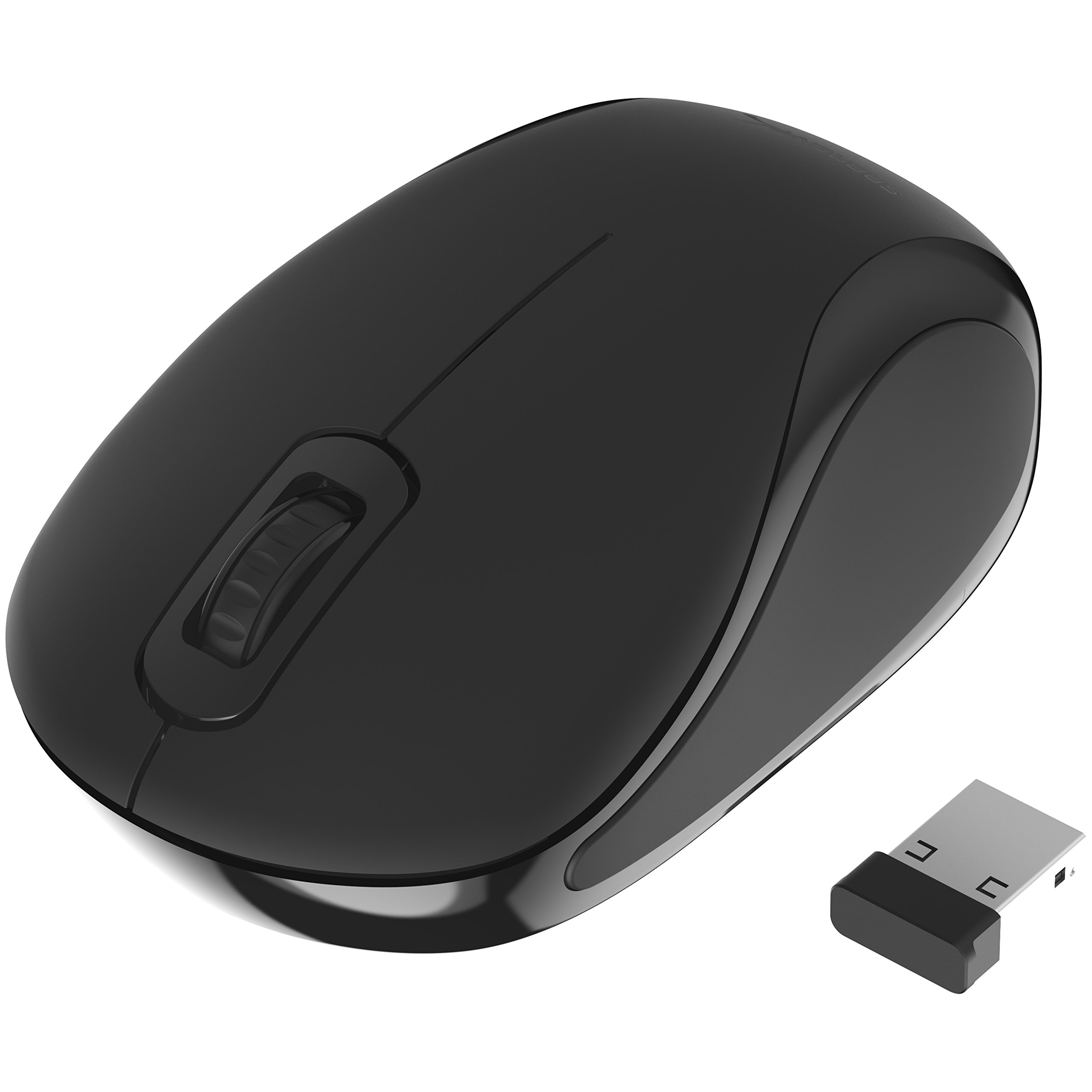
Choose the SABRENT if a straightforward nano-receiver connection and its specified 1200 DPI tracking match your setup. The JLab is the more fitting option when rechargeable power, silent clicks, or multi-device switching are priorities.
- The SABRENT Mini Travel mouse uses a 2.4 GHz wireless nano receiver and has 1200 DPI optical tracking.
- It is described as ultra-portable and compatible with a range of Windows versions and Mac OS X.
- The JLab GO Charge focuses on rechargeable use, quiet clicks, adjustable DPI, and switching among up to three devices by Bluetooth or USB dongle.
Computer Mice alternative
1,000+ ratings
Read Amazon ReviewsNulea M504 Wired Vertical Mouse
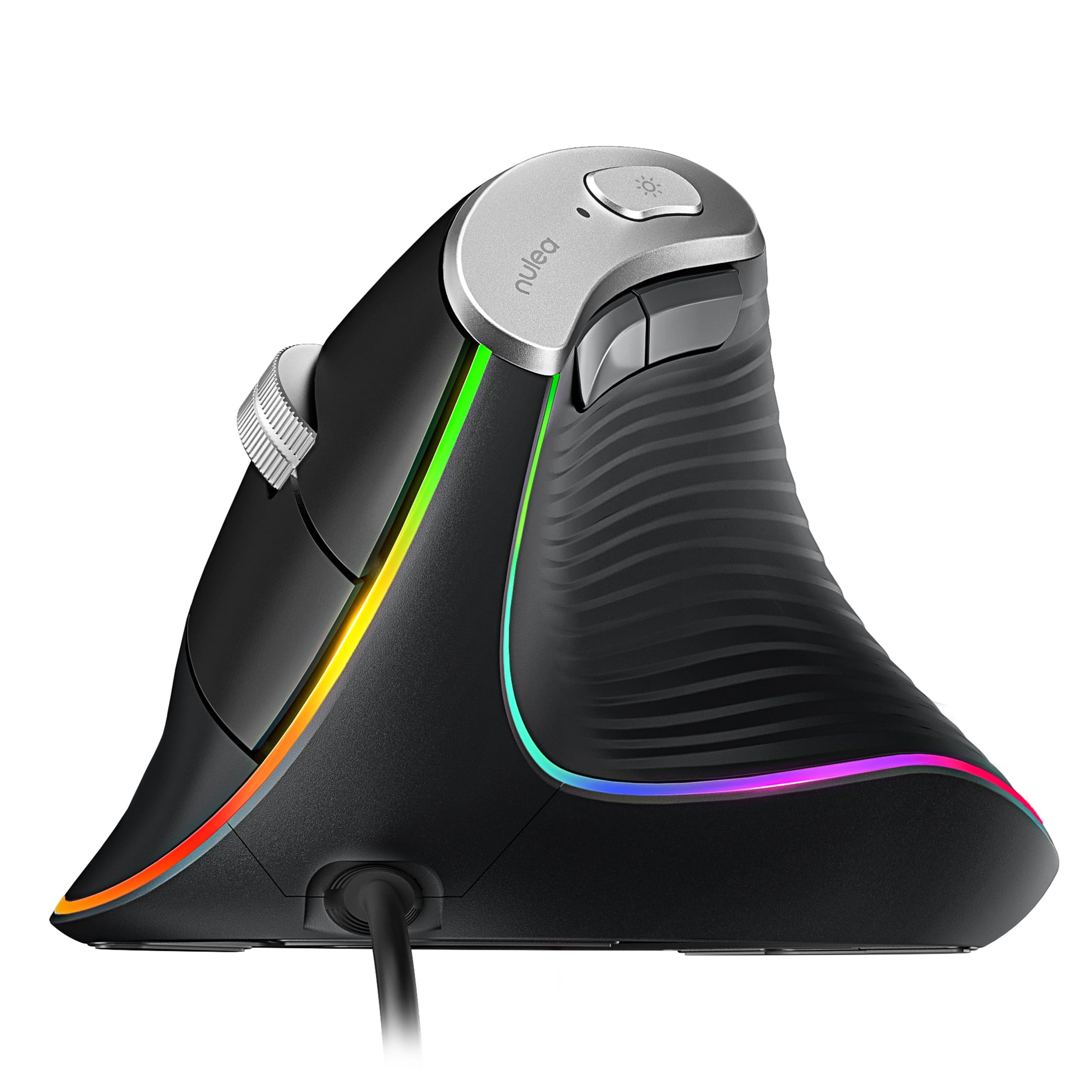
Consider the Nulea if a right-handed vertical shape and explicitly listed DPI settings better suit your priorities and a cable is acceptable.
The JLab is the more natural fit for people who value wireless portability, quiet clicks, and switching between several devices.
- The Nulea M504 is a wired, right-handed vertical mouse with four DPI settings from 800 to 3200, six buttons, and RGB lighting.
- Its forward and back buttons are not compatible with Mac OS, and its vertical shape may take a few days to get used to.
- The JLab is a compact wireless mouse aimed at portability and multi-device productivity, with silent clicks and rechargeable power.
Is JLab GO Charge Worth It?
The JLab GO Charge is worth considering as a portable everyday mouse for people who want quiet clicks and a single device for several compatible computers or tablets.
Its rechargeable battery, two connection methods, and three-device switching give it a practical productivity focus.
Buy it if its compact shape fits your hand and the available DPI adjustment is sufficient for your work.
Check your device connections and preferred mouse size first; buyers seeking a clearly specified sensitivity range or a specialized ergonomic design may be better served by a different style.
Your review at a glance
1,000+ ratings
Read Amazon ReviewsJLab GO Charge Wireless Mouse
A compact rechargeable mouse for people who switch between several devices and want quiet clicks for work or travel.
- Rechargeable battery with a claimed four-plus months of use per charge.
- Adjustable DPI tracking to tune cursor speed for different tasks or screen setups.
- Silent click buttons intended to reduce clicking noise during work.
- Connects with up to three devices using Bluetooth 5 or a USB wireless dongle, with instant switching.