The Liene PixCut S1 Color Sticker Printer & Cutting Machine review is for makers weighing a dedicated print-and-cut device against a more hands-on craft setup.
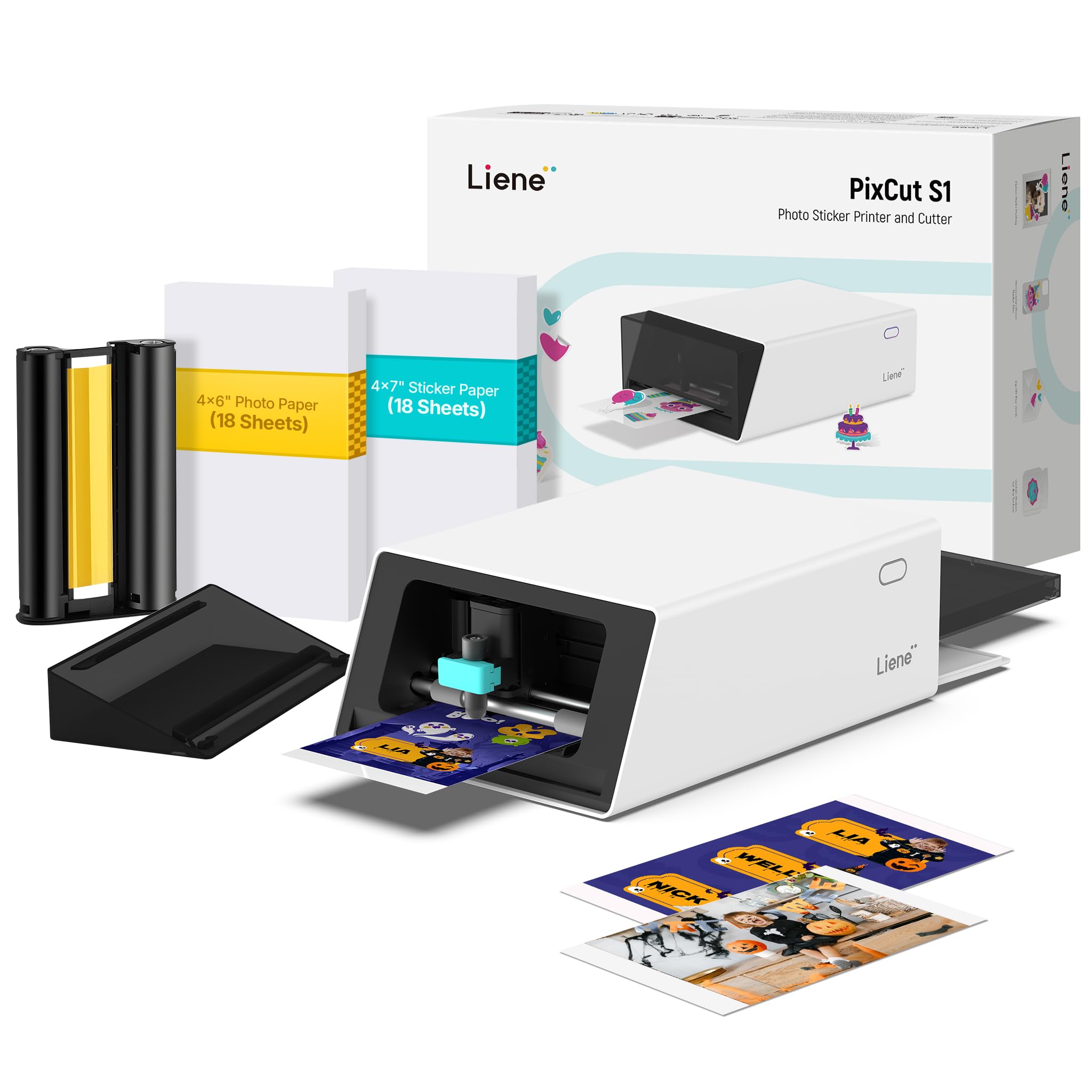
The PixCut S1 combines thermal dye-sublimation printing, AI-assisted image extraction, and cutting in a phone-friendly workflow for custom stickers, labels, and small creative projects.
PixCut S1 Review Summary
The quick verdict
700+ ratings
Read Amazon ReviewsLiene PixCut S1
A fit for craft hobbyists and small creative projects that need phone-based color printing and sticker cutting in one compact workflow.
- Thermal dye-sublimation printing and die cutting are integrated in one machine.
- Print resolution is specified at 300 dpi, with color output described as supporting 16.7 million colors.
- The Liene app supports editing and printing from a smartphone over Bluetooth, with mobile, tablet, and desktop availability described.
- AI image extraction can identify a photo subject for sticker design, while the cutting system is described as following the extracted outline.

Pros
- Printing and cutting happen in a single coordinated workflow.
- AI subject extraction and templates can simplify turning personal photos into shaped stickers.
Consider before buying
- The 6.2-pound machine needs a dedicated spot, so it is less convenient to bring along than a small handheld printer.
- The all-in-one design is most compelling for buyers who regularly make custom printed and cut pieces; occasional label makers may not use its creative workflow enough.
Read the full review summary
The PixCut S1 brings printing and cutting together, so a project can move from an image on a phone to a finished sticker without transferring work between separate devices.
Its app-based editing, AI subject extraction, templates, and image library make it approachable for people who want to create without starting every design from scratch.
The 300 dpi dye-sublimation output and automatic lamination are aimed at colorful, finished-looking stickers rather than basic monochrome labels.
Its strongest fit is a home crafter, journaler, or gift maker who expects to produce custom designs in small batches and values a compact workflow.
The tradeoff is that this is a specialized 6.2-pound device, so buyers should match its sticker-focused approach to their regular projects and check that the app and supported devices suit how they prefer to design.
The buying factors
PixCut S1 Scorecard
Editorial scores reflect listed features and buyer fit; they are not laboratory measurements or customer ratings.
Print-and-cut workflow
Combines color printing and cutting in one device, with a smartphone Bluetooth workflow.
Creative tools
AI subject extraction, style effects, templates, and a large image and element library support varied designs.
Print detail
The specified 300 dpi resolution is suited to detailed small-format sticker designs.
Sticker finish
Four-layer dye-sublimation printing automatically laminates the paper, with water and scratch resistance described for finished stickers.
Ease of starting
The app workflow and ready-to-use templates reduce the design steps for common craft projects.
Project flexibility
The listed uses span stickers, labels, phone skins, badges, and photo printing, but the product is still centered on custom printed pieces.
Key Features and Specifications of PixCut S1
- Thermal dye-sublimation printing and die cutting are integrated in one machine.
- Print resolution is specified at 300 dpi, with color output described as supporting 16.7 million colors.
- The Liene app supports editing and printing from a smartphone over Bluetooth, with mobile, tablet, and desktop availability described.
- AI image extraction can identify a photo subject for sticker design, while the cutting system is described as following the extracted outline.
- The four-layer dye-sublimation process laminates the photopaper during printing; finished stickers are described as waterproof and scratch-resistant.
- The app includes more than 50,000 free images, fonts, and elements and more than 10,000 templates, with no subscription described.
- The device weighs 6.2 pounds and measures 11 by 7.7 by 4.1 inches.
Pros and Cons of PixCut S1
Pros
- Printing and cutting happen in a single coordinated workflow.
- AI subject extraction and templates can simplify turning personal photos into shaped stickers.
- Dye-sublimation printing and automatic lamination are designed to produce colorful, finished stickers.
- A broad set of included creative assets and templates supports multiple small craft projects without a subscription.
Consider before buying
- The 6.2-pound machine needs a dedicated spot, so it is less convenient to bring along than a small handheld printer.
- The all-in-one design is most compelling for buyers who regularly make custom printed and cut pieces; occasional label makers may not use its creative workflow enough.
- The described workflow relies on the Liene app, so check that its editing experience and device support align with your preferred way of working before buying.
Who Should Buy PixCut S1?
Good fit
Consider the PixCut S1 if your craft routine includes personalized stickers, photo cutouts, labels, or small gifts and you want printing and cutting handled in one device.
The AI extraction and ready-made templates are practical for projects that begin with a photo or a quick idea rather than a finished design file.
It also makes sense for a household or maker who expects to experiment with different sticker formats, from journaling accents to phone-skin designs.
The sizable included asset and template collections give new users starting points, while the thermal dye-sublimation process and automatic lamination target a polished result in the same workflow.
Who should skip it
Skip it if you mainly need a general-purpose printer for documents, large-format work, or projects that do not involve custom printed pieces; those needs do not make much use of its integrated sticker workflow.
It may also be a poor fit if you prefer to design entirely outside a companion app or only need to make stickers occasionally.
In that case, first consider whether the all-in-one convenience and available templates justify dedicating space to a specialized machine.
How the PixCut S1 Fits a Home Craft Workflow
From image to cut sticker
The integrated process is the central reason to consider the PixCut S1: the device pairs color printing with a cut guided by AI-extracted image outlines.
For a maker moving from personal photos to sticker sheets or small gifts, keeping those steps in one workflow can reduce manual handoffs and make repeat designs easier to approach.
Print detail and finish
At 300 dpi, the printer is positioned for detailed color designs in small formats.
Its four-layer dye-sublimation process laminates the photopaper as it prints, and the resulting stickers are described as waterproof and scratch-resistant; that makes the finish a relevant consideration for items handled or exposed to splashes, while the description does not establish performance under every use condition.
Creative tools and app dependence
AI image extraction, style effects, templates, and a large collection of free creative assets give the app a meaningful role beyond sending a print job.
This can help buyers who want guided design options, but it also means the app experience matters: confirm the available app version and supported device fit your own setup before choosing the machine.
Space and project frequency
The 11 by 7.7 by 4.1 inch body and 6.2-pound weight point to a desktop craft appliance rather than a pocket accessory.
It is easier to justify when sticker making is a recurring hobby or part of regular gift projects; occasional users should weigh that footprint against how often they expect to print and cut.
Alternatives to PixCut S1
No alternative model is recommended here. Compare the design workflow, sticker finish, and creative tools that matter to your routine before choosing another option.
Is PixCut S1 Worth It?
The Liene PixCut S1 is worth considering for crafters who want a dedicated color sticker workflow with printing, AI-assisted extraction, and cutting in one device.
Its templates and included creative assets make it particularly appealing for photo-based projects, labels, journaling, and personalized gifts.
Buy if those projects are a regular part of your routine and the app-based design approach suits you.
If you only need occasional labels or a general printer, the specialized footprint and sticker-centered workflow may be more machine than your projects require.
Your review at a glance
700+ ratings
Read Amazon ReviewsLiene PixCut S1
A fit for craft hobbyists and small creative projects that need phone-based color printing and sticker cutting in one compact workflow.
- Thermal dye-sublimation printing and die cutting are integrated in one machine.
- Print resolution is specified at 300 dpi, with color output described as supporting 16.7 million colors.
- The Liene app supports editing and printing from a smartphone over Bluetooth, with mobile, tablet, and desktop availability described.
- AI image extraction can identify a photo subject for sticker design, while the cutting system is described as following the extracted outline.