The MAONO A04 Gen2 is a condenser microphone kit for creators who want a straightforward USB setup today and an XLR option for a compatible studio chain later.
This MAONO A04 Gen2 XLR/USB Condenser Microphone Kit for PC Podcast Recording review looks at its connectivity, software controls, included accessories, and the setup choices buyers should plan around.
MAONO A04 Gen2 Review Summary
The quick verdict
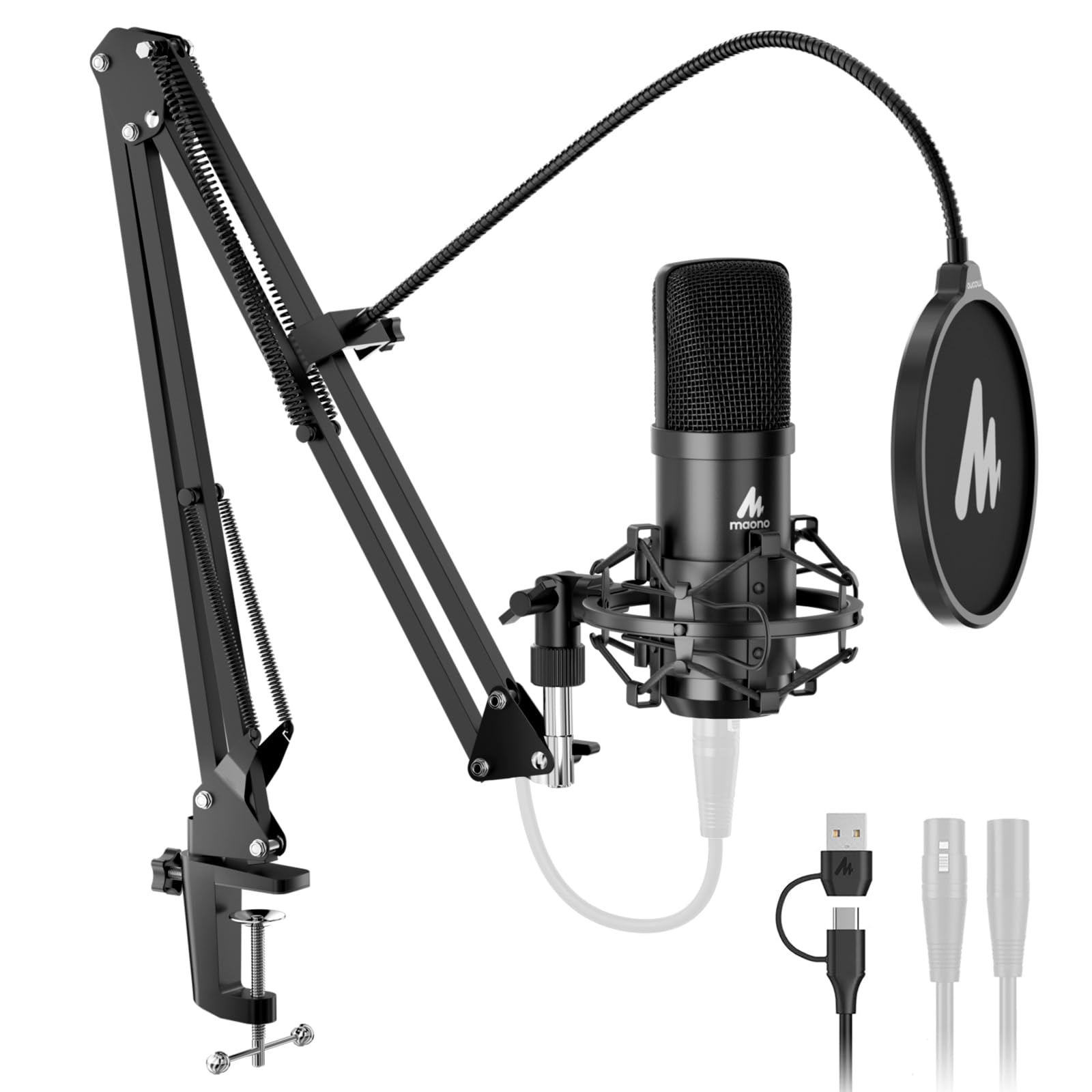
19,000+ ratings
Read Amazon ReviewsMAONO A04 Gen2 Microphone Kit
A flexible home recording kit for creators who want USB convenience, an XLR connection, and a supplied boom arm for voice work.
- Dual USB and XLR connections allow use with a PC or phone over USB, or an audio interface or mixer over XLR.
- USB mode supports up to 192kHz/24-bit sampling and has a stated frequency response of 30Hz–16kHz.
- A 16mm electret condenser capsule uses a cardioid pickup pattern intended to focus on sound from the front.
- MAONO Link software in USB mode offers microphone gain adjustment, selectable noise reduction strengths, scene EQ presets, compression, and limiting.

Pros
- Two connection types let the microphone serve a simple USB setup or an XLR-based recording chain.
- USB software controls provide several ways to adjust gain and shape the sound.
Consider before buying
- The XLR cable must be purchased separately, and the XLR setup needs phantom power.
- MAONO Link controls, including software noise reduction, are available only in USB mode.
Read the full review summary
The A04 Gen2’s main appeal is flexibility: connect by USB for computer or phone recording, or use XLR with an audio interface or mixer.
Its cardioid pickup pattern, 16mm capsule, pop filter, foam windscreen, and adjustable boom arm make the package well suited to podcasts, voiceovers, streaming, and singing in a home setup.
USB mode also unlocks MAONO Link controls for gain, noise reduction, scene EQ presets, compression, and limiting.
That gives beginners useful ways to shape a voice without changing the physical setup, while the XLR route is better for someone who already has compatible gear and is prepared to supply phantom power.
Buyers should account for the omitted XLR cable and note that the microphone is not compatible with Xbox.
The buying factors
MAONO A04 Gen2 Scorecard
Editorial scores reflect listed features and buyer fit; they are not laboratory measurements or customer ratings.
Connection flexibility
USB and XLR support different recording setups, with phantom power required for XLR use.
USB setup convenience
USB is described as plug and play with a PC or phone; software controls are USB-only.
Voice recording fit
The cardioid design and 16mm capsule are aimed at front-focused podcast, voiceover, and singing use.
In-the-box setup
The kit includes an adjustable arm, shock mount, pop filter, and foam windscreen.
Sound-shaping controls
MAONO Link provides gain, noise reduction, scene EQ presets, compression, and limiting over USB.
Setup caveats
XLR requires phantom power and a separate XLR cable, and Xbox is listed as incompatible.
Key Features and Specifications of MAONO A04 Gen2
- Dual USB and XLR connections allow use with a PC or phone over USB, or an audio interface or mixer over XLR.
- USB mode supports up to 192kHz/24-bit sampling and has a stated frequency response of 30Hz–16kHz.
- A 16mm electret condenser capsule uses a cardioid pickup pattern intended to focus on sound from the front.
- MAONO Link software in USB mode offers microphone gain adjustment, selectable noise reduction strengths, scene EQ presets, compression, and limiting.
- The kit includes an adjustable scissor arm, boom arm base, shock mount, pop filter, foam windscreen, and USB cable.
- An XLR cable is not included. XLR operation requires phantom power; Xbox is listed as incompatible.
Pros and Cons of MAONO A04 Gen2
Pros
- Two connection types let the microphone serve a simple USB setup or an XLR-based recording chain.
- USB software controls provide several ways to adjust gain and shape the sound.
- The supplied arm and basic voice-recording accessories help create a desk setup from one kit.
- The cardioid pattern and included pop filter and windscreen are suited to close, front-facing voice recording.
Consider before buying
- The XLR cable must be purchased separately, and the XLR setup needs phantom power.
- MAONO Link controls, including software noise reduction, are available only in USB mode.
- It is not compatible with Xbox, which rules it out for that console setup.
Who Should Buy MAONO A04 Gen2?
Good fit
Consider the A04 Gen2 if you record podcasts, voiceovers, streams, or vocals at a desk and want the choice between direct USB recording and an XLR connection.
USB is the simpler route for a compatible PC or phone; the included arm, shock mount, pop filter, and windscreen help round out the physical setup.
It is also a sensible fit if you want software options for adjusting gain and applying EQ, compression, limiting, or noise reduction while using USB.
If you expect to use XLR, check that your interface or mixer can provide phantom power and plan to obtain an XLR cable separately.
Who should skip it
Choose another setup if Xbox compatibility is essential, or if you need MAONO Link’s noise reduction and other software controls while recording over XLR. Those controls are specified for USB mode.
This kit is a less convenient fit if you need every connection cable in the box or do not have access to phantom power for XLR use.
Confirm your intended connection and available desk mounting space before choosing a microphone arm kit.
How the MAONO A04 Gen2 Fits a Home Recording Setup
USB convenience and XLR expansion
The two connection options make the A04 Gen2 adaptable to different recording workflows.
USB is the direct path for a compatible PC or phone and enables MAONO Link; XLR connects through an interface or mixer, with phantom power required.
Because the software features are USB-only, choose the mode based on both your hardware and the controls you want available.
Voice pickup and placement
The 16mm electret capsule and cardioid pattern are designed for front-facing sound capture, which suits a single speaker positioned in front of the microphone.
The suggested close working range is 2–6 inches, so allow enough room to position the arm comfortably and keep the microphone in front of the speaker.
The pop filter and foam windscreen add practical options for close voice work.
Controls for tailoring a USB recording
MAONO Link gives USB users control over gain, selectable noise reduction, scene EQ presets, compression, and limiting.
These options may help adapt the microphone to different recording situations, but they also mean the feature set depends on using the software and the USB connection.
An XLR user should plan around the external interface or mixer workflow instead.
What the included kit covers
The adjustable scissor arm, base, shock mount, pop filter, and windscreen cover key mounting and voice-recording accessories.
The package does not include an XLR cable, so buyers who plan to use that connection should add one compatible with their setup.
For USB, check that the supplied cable and intended computer or phone connection match your device.
Alternatives to MAONO A04 Gen2
Instrument Condenser Microphones alternative
25,000+ ratings
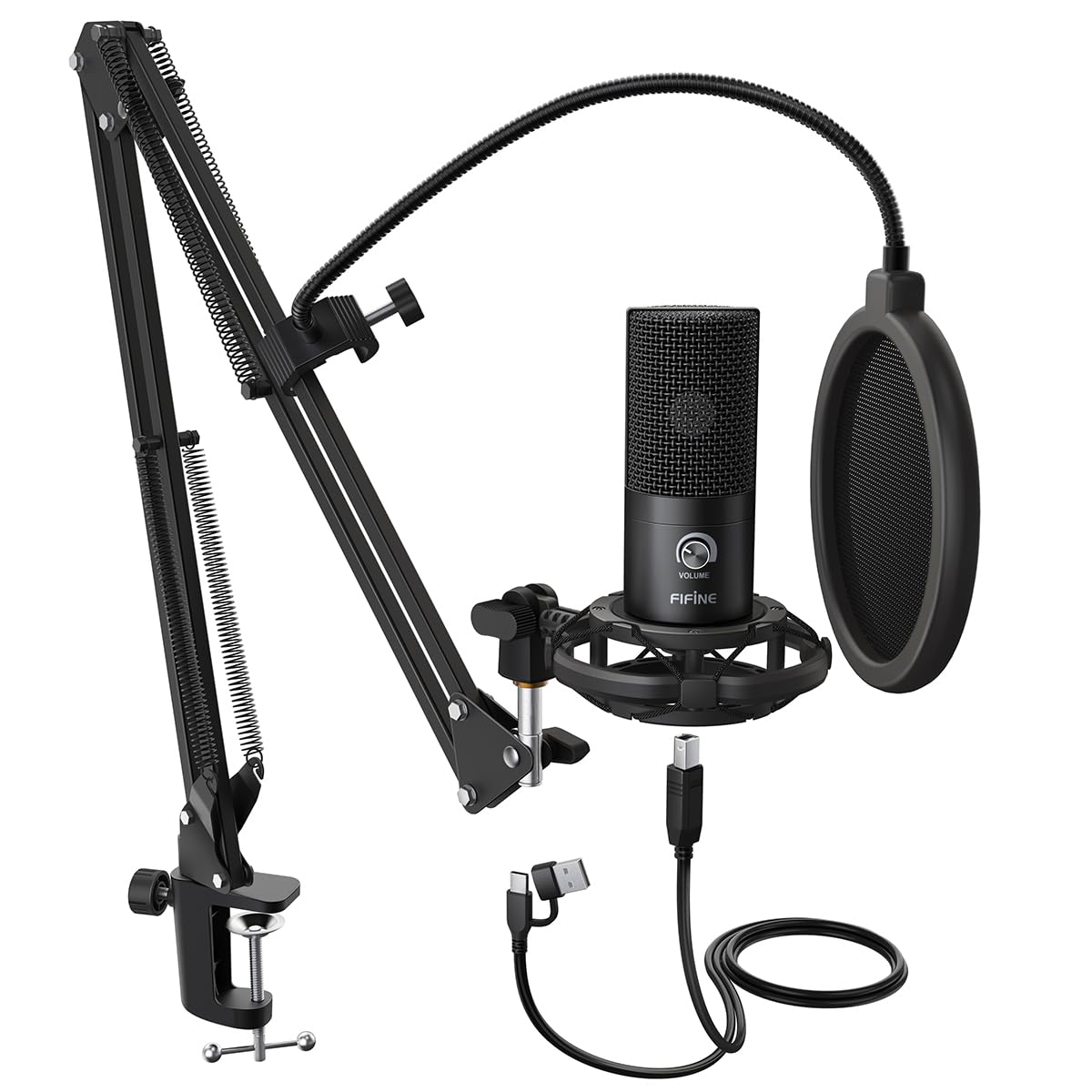
Read Amazon ReviewsFIFINE T669 USB Microphone Kit
Consider the T669 if your recording is computer-based and you prefer a USB-only kit with a supplied double pop filter. The A04 Gen2 is the more flexible choice when XLR connectivity and its USB software controls matter.
- The FIFINE T669 is a USB-only condenser microphone kit with a cardioid capsule, boom arm, shock mount, and double pop filter.
- Its described USB setup connects directly to a PC or laptop.
- The A04 Gen2 offers USB and XLR connections, with MAONO Link controls available in USB mode.
Instrument Condenser Microphones alternative
19,000+ ratings
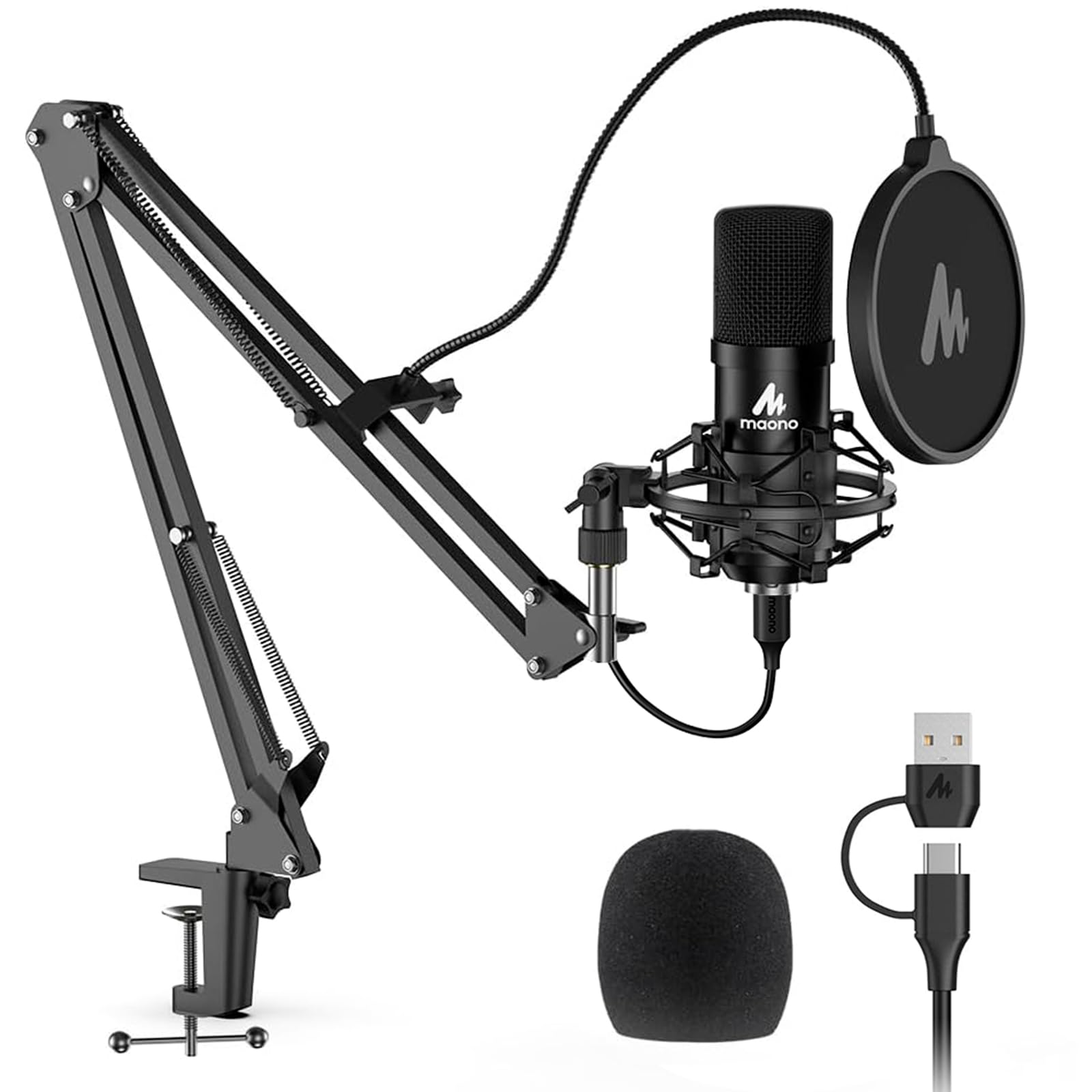
Read Amazon ReviewsMAONO A04 USB Microphone Kit
The original A04 suits a buyer who wants a familiar USB-only setup with the listed arm and voice accessories. Choose the A04 Gen2 if you want the option of XLR and software-based sound adjustments while connected over USB.
- The MAONO A04 is a USB-only condenser kit with a 16mm capsule, cardioid pattern, boom arm, shock mount, pop filter, and foam windscreen.
- Its description says it does not use MAONO Link.
- The A04 Gen2 adds XLR connectivity and MAONO Link software controls in USB mode.
Is MAONO A04 Gen2 Worth It?
The MAONO A04 Gen2 is worth considering as a home voice-recording kit for buyers who value USB simplicity, an XLR option, and a supplied adjustable arm and pop filter.
Its software controls add flexibility over USB, while the cardioid design is a natural fit for a speaker positioned in front of the microphone.
Before buying, confirm that your device and connection plan fit the kit: XLR needs phantom power and a separate cable, software controls are USB-only, and Xbox is unsupported.
If those conditions match your setup, the A04 Gen2 offers a useful range of recording options in one package.
Your review at a glance
19,000+ ratings
Read Amazon ReviewsMAONO A04 Gen2 Microphone Kit
A flexible home recording kit for creators who want USB convenience, an XLR connection, and a supplied boom arm for voice work.
- Dual USB and XLR connections allow use with a PC or phone over USB, or an audio interface or mixer over XLR.
- USB mode supports up to 192kHz/24-bit sampling and has a stated frequency response of 30Hz–16kHz.
- A 16mm electret condenser capsule uses a cardioid pickup pattern intended to focus on sound from the front.
- MAONO Link software in USB mode offers microphone gain adjustment, selectable noise reduction strengths, scene EQ presets, compression, and limiting.