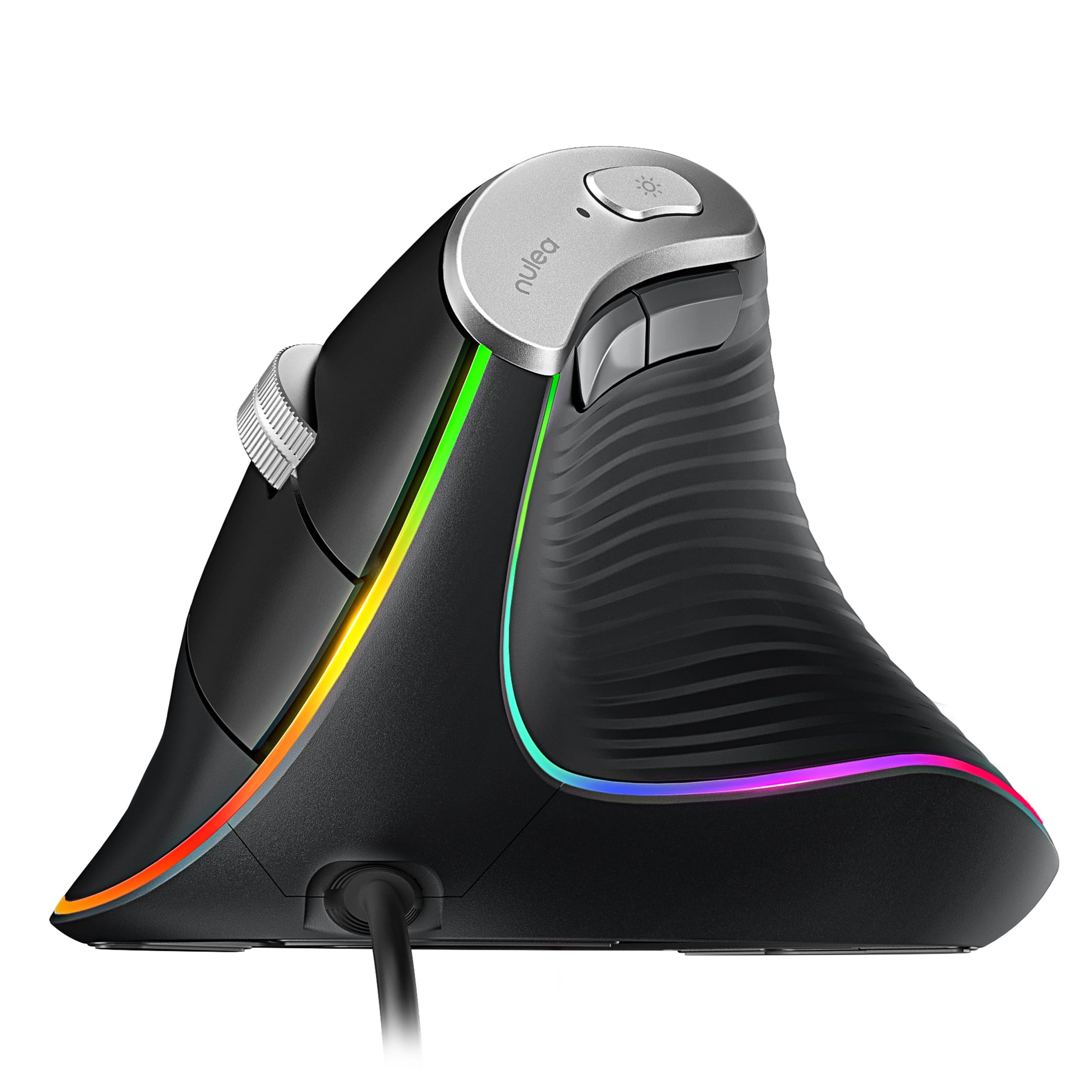
This nulea m504 review looks at a right-handed wired vertical mouse built around a 57-degree grip, four DPI settings, and straightforward USB connectivity.
It may suit desk users seeking a different hand position, provided they are comfortable with a short adjustment period and a cable.
Nulea M504 Review Summary
The quick verdict
1,000+ ratings
Read Amazon ReviewsNulea M504
A right-handed wired vertical mouse for desk users who want adjustable cursor speed, simple USB setup, and built-in RGB lighting.
- Right-handed vertical design with a 57-degree grip angle.
- Optical tracking with four selectable DPI levels: 800, 1200, 2400, and 3200.
- Wired USB 2.0 connection with a 1.8-meter cable and plug-and-play setup.
- Six buttons, including forward and back navigation buttons; buttons are non-programmable.

Pros
- The angled grip gives right-handed users a vertical mouse option designed to keep the forearm in a more natural position.
- Four DPI settings make it possible to choose between slower pointer movement and quicker navigation.
Consider before buying
- The vertical shape may take a few days to feel familiar, so it is a less immediate transition than a conventional mouse.
- The 1.8-meter cable may be less convenient for users who prefer a cordless desk or frequently move between work locations.
Read the full review summary
The M504 combines an angled vertical shape with practical everyday controls: six buttons, optical tracking, four selectable sensitivity levels, and forward and back buttons.
Its USB 2.0 cable avoids wireless pairing and battery management, while 11 RGB lighting modes add a customizable visual accent.
It is aimed at right-handed laptop and desktop users who want a plug-and-play mouse for browsing, office tasks, or light creative work.
The main buying considerations are the learning curve of the vertical grip, the fixed 1.8-meter cable, and the non-programmable buttons; Mac users should also account for the forward and back buttons not being compatible with macOS.
The buying factors
Nulea M504 Scorecard
Editorial scores reflect listed features and buyer fit; they are not laboratory measurements or customer ratings.
Ergonomic design
The 57-degree vertical grip is designed to support a more natural hand and forearm position, though individual comfort and adaptation will vary.
Cursor adjustment
Four settings from 800 to 3200 DPI provide useful choices for common pointer tasks.
Setup simplicity
USB 2.0 wired plug-and-play operation is a simple fit for standard computer setups.
Everyday controls
Six buttons include forward and back navigation, but they are not programmable and the navigation buttons do not work with Mac OS.
Portability
The mouse is described as lightweight and easy to carry, although its attached 1.8-meter cable must be managed.
Personalization
Eleven RGB lighting modes and adjustable DPI offer some customization, while button assignments remain fixed.
Key Features and Specifications of Nulea M504
- Right-handed vertical design with a 57-degree grip angle.
- Optical tracking with four selectable DPI levels: 800, 1200, 2400, and 3200.
- Wired USB 2.0 connection with a 1.8-meter cable and plug-and-play setup.
- Six buttons, including forward and back navigation buttons; buttons are non-programmable.
- Eleven RGB backlight modes illuminate the mouse outline.
- Designed for laptops and personal computers and lists Windows, iPadOS, and macOS compatibility; forward and back buttons are not compatible with Mac OS.
- One-year manufacturer warranty.
Pros and Cons of Nulea M504
Pros
- The angled grip gives right-handed users a vertical mouse option designed to keep the forearm in a more natural position.
- Four DPI settings make it possible to choose between slower pointer movement and quicker navigation.
- Wired plug-and-play USB setup avoids pairing steps and charging.
- Forward and back buttons can make browser navigation more convenient on compatible systems.
Consider before buying
- The vertical shape may take a few days to feel familiar, so it is a less immediate transition than a conventional mouse.
- The 1.8-meter cable may be less convenient for users who prefer a cordless desk or frequently move between work locations.
- Buttons cannot be programmed, and the forward and back controls are not compatible with Mac OS.
Who Should Buy Nulea M504?
Good fit
Consider the M504 if you are right-handed and want to try a vertical mouse for regular computer use.
Its angled grip is the central reason to choose it, while the adjustable DPI and six-button layout support common browsing and work routines.
It is also a practical match for someone who prefers a wired connection and wants plug-and-play USB setup.
Before buying, make sure the cable can reach comfortably from your computer and allow time to adapt to the different grip.
Who should skip it
Skip it if you need a cordless mouse, frequently switch between devices away from a fixed desk, or want to assign custom functions to buttons.
Mac users who rely on forward and back navigation buttons should choose with care, since those controls are not compatible with Mac OS.
How the Nulea M504 Fits an Everyday Desk
The vertical grip is the key decision
The M504’s 57-degree angle sets it apart from a conventional mouse.
The design is intended to hold the hand and forearm in a more natural position, but changing grip styles takes adjustment; give yourself a few days to decide whether the shape works for your routine.
DPI choices cover common pointer tasks
The four options—800, 1200, 2400, and 3200 DPI—let you tune cursor responsiveness for different tasks.
Lower settings may feel easier to manage for careful pointer placement, while higher settings may suit quicker movement across a screen; the preferred level depends on the user and display setup.
Wired setup favors a fixed workspace
A 1.8-meter USB 2.0 cable and plug-and-play design make initial setup straightforward on a standard computer.
That simplicity comes with a cable to route and manage, so check that the available distance from your USB port to your usual mouse position is comfortable.
Button layout is useful but fixed
The six-button layout includes forward and back controls that can help with browser navigation on compatible systems.
The buttons are non-programmable, and Mac users lose those navigation functions, so the layout best suits people who are happy with the built-in controls.
Alternatives to Nulea M504
Computer Mice alternative
1,000+ ratings
Read Amazon ReviewsJLab GO Charge Wireless Mouse
Choose the M504 if a vertical grip and wired USB operation are your priorities.
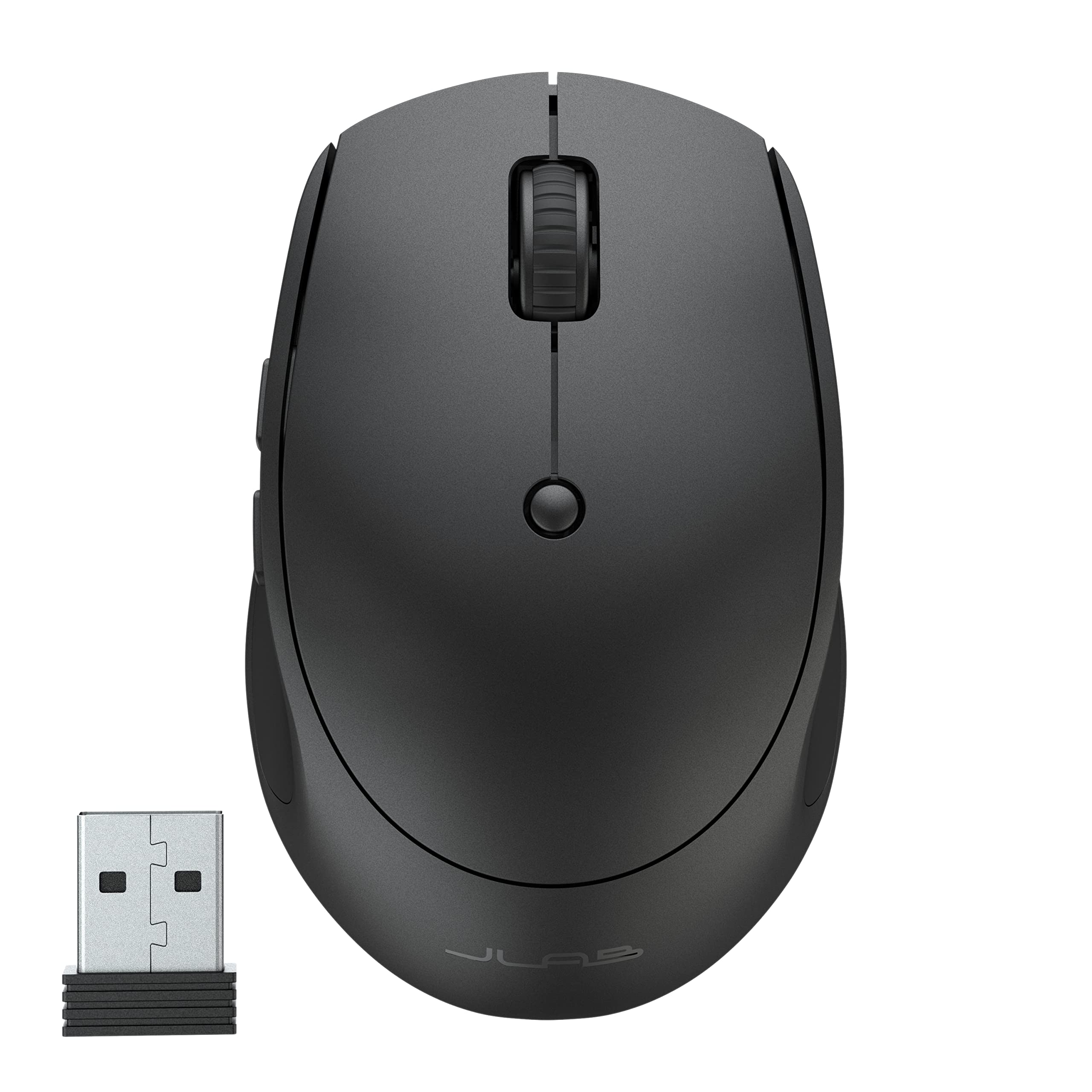
The JLab is a closer fit for portable work or switching among multiple devices without a cable, and its silent clicks may suit quieter workspaces.
- The JLab GO Charge connects to up to three devices using Bluetooth 5 or a USB wireless dongle, has adjustable tracking, and is rechargeable.
- Its compact design includes silent-click buttons.
- The Nulea M504 is a right-handed vertical wired mouse with a 57-degree grip and four DPI settings, designed for users who want an angled hand position at a desk.
Computer Mice alternative
2,000+ ratings
Read Amazon ReviewsSABRENT Mini Travel Wireless Mouse
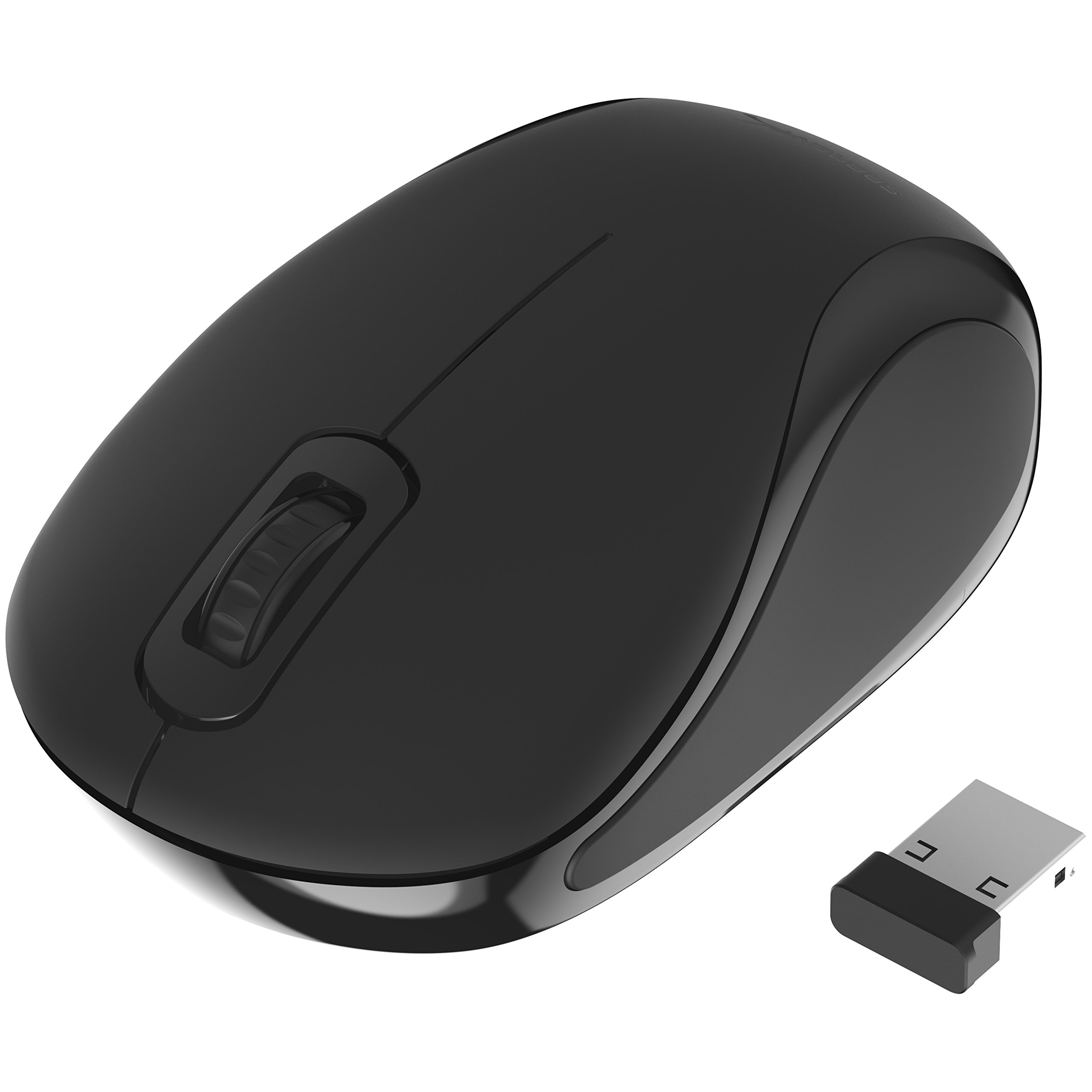
The M504 makes more sense if you want a vertical shape and adjustable pointer sensitivity. The SABRENT may suit travel or shared use where a small ambidextrous wireless mouse matters more than extra controls.
- The SABRENT is a compact ambidextrous wireless mouse with a 1200 DPI optical sensor, three buttons, and a 2.4 GHz connection using a nano receiver.
- The Nulea M504 offers a vertical right-handed shape, four DPI settings, six buttons, and a wired USB connection.
Is Nulea M504 Worth It?
The Nulea M504 is worth considering if you want to try a right-handed vertical mouse with adjustable DPI and uncomplicated wired setup. Its main appeal is the grip design, supported by useful everyday navigation controls and RGB lighting.
Buy it if you are comfortable with a cable and willing to adapt to the shape. Look elsewhere if wireless portability, programmable buttons, or Mac-compatible forward and back controls are essential to your routine.
Your review at a glance
1,000+ ratings
Read Amazon ReviewsNulea M504
A right-handed wired vertical mouse for desk users who want adjustable cursor speed, simple USB setup, and built-in RGB lighting.
- Right-handed vertical design with a 57-degree grip angle.
- Optical tracking with four selectable DPI levels: 800, 1200, 2400, and 3200.
- Wired USB 2.0 connection with a 1.8-meter cable and plug-and-play setup.
- Six buttons, including forward and back navigation buttons; buttons are non-programmable.