This tp link tl sg105 switch review looks at a straightforward way to add wired network connections around a home studio, desk, or media setup.
Its five Gigabit Ethernet ports, fanless metal case, and plug-and-play design suit buyers who want a small switch without a configuration routine.
TP-Link TL-SG105 Review Summary
The quick verdict
130,000+ ratings
Read Amazon ReviewsTP-Link TL-SG105
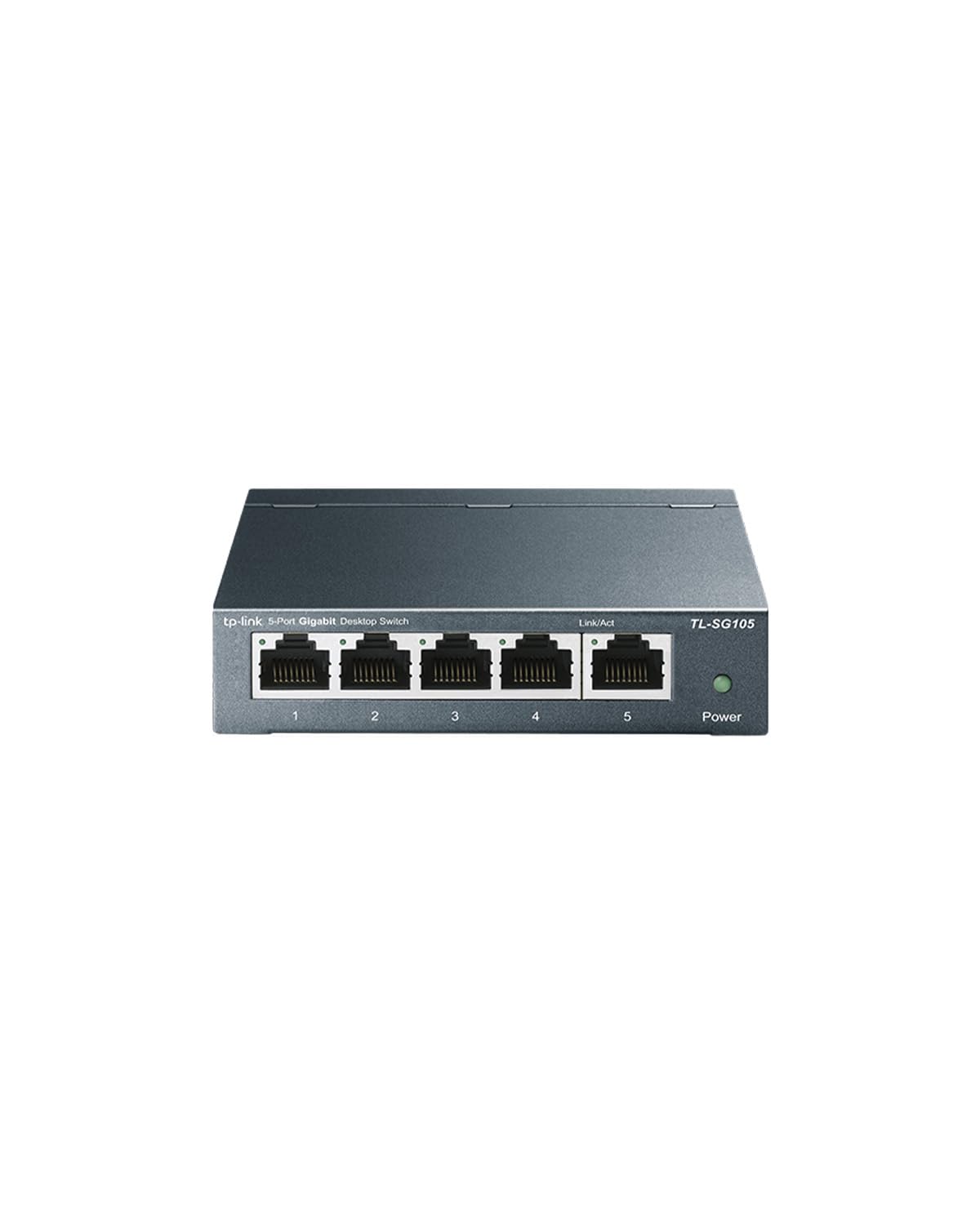
A compact, fanless wired switch for home studios and workspaces that need to connect several Ethernet devices without software setup.
- Five RJ45 ports support 10/100/1000 Mbps Ethernet, with auto-negotiation and Auto MDI/MDIX.
- Plug-and-play setup requires no software installation or configuration.
- Fanless operation is suited to desks and rooms where added fan noise is undesirable.
- Port-based 802.1p/DSCP QoS and IGMP Snooping offer traffic-handling options.

Pros
- Five Gigabit ports add several wired connections in a compact setup.
- No software installation or switch configuration is required for basic setup.
Consider before buying
- Five ports can be limiting if you need to connect many devices or expect the setup to grow; count the switch uplink and endpoint connections before choosing.
- It is an unmanaged switch, so buyers who need detailed network configuration should check that a managed model better matches their requirements.
Read the full review summary
The TL-SG105 provides five 10/100/1000 Mbps RJ45 ports with auto-negotiation and Auto MDI/MDIX, so it can connect several compatible wired devices through a single switch.
For a home recording setup, that could mean bringing a computer, network storage, printer, or other Ethernet-connected gear together, provided the available port count and network layout match your needs.
Its appeal is practical simplicity: setup requires no software installation or configuration, the fanless design is suited to quiet rooms, and the metal enclosure can sit on a desktop or be wall-mounted.
The model also includes traffic-prioritization features and IGMP Snooping, which add options for managing certain network traffic.
It is best considered for basic wired expansion, not a replacement for a router or a solution for equipment that needs power over Ethernet.
The buying factors
TP-Link TL-SG105 Scorecard
Editorial scores reflect listed features and buyer fit; they are not laboratory measurements or customer ratings.
Port capacity
Five Gigabit Ethernet ports provide a useful amount of wired expansion for a small room or desk setup.
Link compatibility
Auto-negotiation and Auto MDI/MDIX support straightforward connections with compatible Ethernet devices.
Setup simplicity
The plug-and-play design requires no software installation or configuration.
Quiet-room fit
A fanless design makes it a natural fit for a recording or work area where fan noise is unwelcome.
Traffic tools
Port-based 802.1p/DSCP QoS and IGMP Snooping provide useful traffic-handling features for some setups.
Placement flexibility
The metal case supports desktop or wall-mounted placement, helping it fit different workspaces.
Key Features and Specifications of TP-Link TL-SG105
- Five RJ45 ports support 10/100/1000 Mbps Ethernet, with auto-negotiation and Auto MDI/MDIX.
- Plug-and-play setup requires no software installation or configuration.
- Fanless operation is suited to desks and rooms where added fan noise is undesirable.
- Port-based 802.1p/DSCP QoS and IGMP Snooping offer traffic-handling options.
- The metal enclosure is designed for desktop or wall-mounted placement.
- IEEE 802.3X flow control is included to support data transfer.
Pros and Cons of TP-Link TL-SG105
Pros
- Five Gigabit ports add several wired connections in a compact setup.
- No software installation or switch configuration is required for basic setup.
- Fanless operation suits quiet home recording and office environments.
- Desktop and wall-mount placement provide flexibility.
- QoS and IGMP Snooping offer additional traffic-handling features when relevant to the network.
Consider before buying
- Five ports can be limiting if you need to connect many devices or expect the setup to grow; count the switch uplink and endpoint connections before choosing.
- It is an unmanaged switch, so buyers who need detailed network configuration should check that a managed model better matches their requirements.
- The listed design does not provide PoE, so devices that need Ethernet-delivered power will require a separate power source or suitable equipment.
Who Should Buy TP-Link TL-SG105?
Good fit
Consider the TL-SG105 if you need a small number of wired connections near a computer, workstation, or home recording setup.
Its five Gigabit ports can reduce dependence on Wi-Fi for devices that have Ethernet, while the plug-and-play design keeps installation simple for buyers who do not want to configure a switch.
The fanless enclosure is especially relevant when the switch will sit in a quiet room, and its desktop or wall-mount design makes it easier to place near existing cabling.
Before buying, map the connections you need: reserve a port for the link back to your router or upstream network, then count the devices you plan to connect.
The traffic features may be useful in a setup that handles different kinds of network traffic, but their value depends on the rest of your equipment and configuration.
Treat them as added flexibility rather than a guarantee of improved audio, video, or network performance.
Who should skip it
Look elsewhere if you need more than five ports, detailed switch configuration, or power delivered over Ethernet. Check the port count and power needs of every connected device before settling on this model.
How the TP-Link TL-SG105 Fits a Home Studio Network
Port count and network layout
Five ports are most useful when the room has a handful of wired devices and an existing router or network connection to feed the switch.
Because that upstream connection also occupies a port, count the remaining connections against your actual endpoints. A small amount of spare capacity can be helpful, but a setup expected to expand may call for a larger switch.
Quiet operation near recording gear
The fanless design avoids adding a switch fan to the room, which can be appealing when recording microphones or working in a quiet space.
Placement still matters: keep the unit where its cables can reach without creating clutter, and choose a desktop or wall-mounted position that works with the room's layout.
Traffic features in context
Port-based 802.1p/DSCP QoS and IGMP Snooping give the switch traffic-handling functions that go beyond basic port expansion.
They may be useful in a network where those features are relevant, but buyers should consider their router, connected devices, and actual traffic needs before treating them as a reason to expect a particular performance result.
Power and device compatibility
The switch is designed to connect Ethernet devices, while its listed specifications do not describe PoE output.
If a connected access point, camera, or other device expects power through its Ethernet cable, check its power requirements and plan a separate compatible power source where needed.
Also confirm that the switch's five-port capacity suits the intended layout.
Alternatives to TP-Link TL-SG105
No alternative model is recommended here. Compare port count, management needs, and power requirements before choosing another switch.
Is TP-Link TL-SG105 Worth It?
The TP-Link TL-SG105 is worth considering for a small wired network that needs up to five Gigabit Ethernet connections, simple setup, and quiet operation. Its desktop or wall-mount placement makes it practical for a home studio or workspace.
Buy it if the port count fits your layout and you do not need PoE or detailed switch configuration.
Count the upstream and device connections first; if the resulting capacity is too tight, choose a switch with more ports.
Your review at a glance
130,000+ ratings
Read Amazon ReviewsTP-Link TL-SG105
A compact, fanless wired switch for home studios and workspaces that need to connect several Ethernet devices without software setup.
- Five RJ45 ports support 10/100/1000 Mbps Ethernet, with auto-negotiation and Auto MDI/MDIX.
- Plug-and-play setup requires no software installation or configuration.
- Fanless operation is suited to desks and rooms where added fan noise is undesirable.
- Port-based 802.1p/DSCP QoS and IGMP Snooping offer traffic-handling options.