The VIVO Dual LED LCD Monitor Mount review centers on a freestanding stand built for two screens, including displays up to 38 inches.
Its broad size range and flexible positioning may suit a dual-monitor workspace, provided the monitors and desk fit the mount’s limits.
VIVO Dual Mount Review Summary
The quick verdict
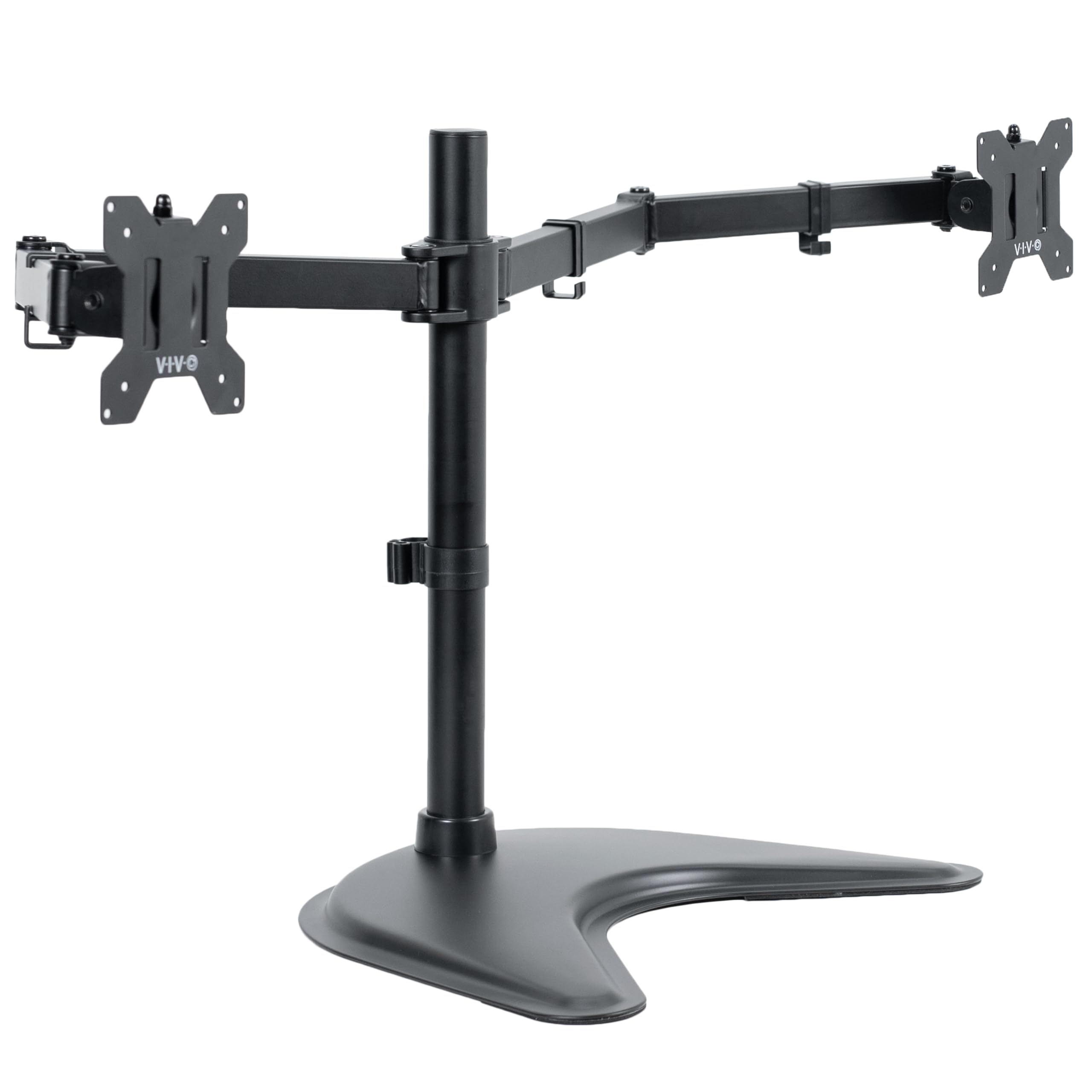
16,000+ ratings
Read Amazon ReviewsVIVO STAND-V038F Dual Monitor Mount
A freestanding dual-screen mount for desk users pairing compatible monitors, including ultrawides, who want adjustable positioning without a clamp.
- Holds two monitors measuring 13 to 38 inches, with a maximum weight of 22 pounds per screen.
- Fits monitors with 75x75mm or 100x100mm VESA mounting holes.
- Offers +90° to -90° tilt, 180° swivel, 360° rotation, and height adjustment along the center pole.
- Uses a freestanding base measuring 16.3 by 12.8 inches, with padding underneath to help protect the desk.

Pros
- Accommodates two screens up to 38 inches, with a stated weight limit of 22 pounds per monitor.
- Freestanding installation does not depend on attaching a clamp to the desk edge.
Consider before buying
- The base takes up a 16.3-by-12.8-inch area that could otherwise be used for desk items.
- As a freestanding design, positioning screens too far forward or backward can affect stability unless the stand is bolted down.
Read the full review summary
The STAND-V038F supports two monitors from 13 to 38 inches, each weighing up to 22 pounds, with standard 75x75mm or 100x100mm VESA mounting holes.
Its freestanding base avoids attaching a clamp to the desk, while articulated arms, pole height adjustment, and cable clips help shape a cleaner, more adaptable setup.
This design is a good match for people who want two side-by-side screens and can spare a 16.3-by-12.8-inch footprint.
Check the monitor weight and VESA pattern, then consider how far forward or back you need to position each screen: the product guidance cautions against pulling the screens too far from the base unless it is bolted down.
The buying factors
VIVO Dual Mount Scorecard
Editorial scores reflect listed features and buyer fit; they are not laboratory measurements or customer ratings.
Monitor compatibility
The 13-to-38-inch range and up-to-22-pound limit per screen accommodate many standard and ultrawide displays, assuming VESA compatibility.
Positioning flexibility
Tilt, swivel, rotation, and pole height adjustment provide several ways to orient and position the screens.
Freestanding convenience
The base avoids a desk clamp, making it a useful option when clamp mounting is not preferred or practical.
Desk footprint
The 16.3-by-12.8-inch base needs a meaningful area of desk space, so measuring first matters.
Cable organization
Detachable clips on the arms and center pole provide a route for organizing power and AV cables.
Setup support
Detachable VESA plates, assembly hardware, instructions, and a three-year warranty are included.
Key Features and Specifications of VIVO Dual Mount
- Holds two monitors measuring 13 to 38 inches, with a maximum weight of 22 pounds per screen.
- Fits monitors with 75x75mm or 100x100mm VESA mounting holes.
- Offers +90° to -90° tilt, 180° swivel, 360° rotation, and height adjustment along the center pole.
- Uses a freestanding base measuring 16.3 by 12.8 inches, with padding underneath to help protect the desk.
- Detachable cable clips on the arms and center pole help route power and AV cables.
- Includes detachable VESA plates, assembly hardware, instructions, and a three-year warranty.
Pros and Cons of VIVO Dual Mount
Pros
- Accommodates two screens up to 38 inches, with a stated weight limit of 22 pounds per monitor.
- Freestanding installation does not depend on attaching a clamp to the desk edge.
- Multiple articulation options allow adjustments to screen angle and orientation.
- Padded base and cable clips address desk contact and cable routing.
Consider before buying
- The base takes up a 16.3-by-12.8-inch area that could otherwise be used for desk items.
- As a freestanding design, positioning screens too far forward or backward can affect stability unless the stand is bolted down.
- The fit depends on each monitor meeting the weight and VESA requirements; check both before buying.
Who Should Buy VIVO Dual Mount?
Good fit
Consider the VIVO STAND-V038F if you want to mount two compatible screens without using a desk-edge clamp.
It can be especially useful when either screen is an ultrawide within the 38-inch size and 22-pound-per-monitor limits, and when you want to alter tilt, swivel, rotation, or pole height after setup.
Before choosing it, measure the base footprint against the usable desk area and verify both monitors’ VESA patterns and weights.
Also plan where the screens will sit relative to the base; the supplied guidance advises avoiding excessive forward or backward reach unless the stand is bolted down.
Who should skip it
Look elsewhere if your monitors exceed 38 inches or 22 pounds each, or lack the supported 75x75mm or 100x100mm VESA pattern.
This stand may not fit a crowded desk where a 16.3-by-12.8-inch base would take up too much working area, or a layout that requires the screens to be pulled far from the base without bolting it down.
How the VIVO Dual Mount Fits a Two-Screen Desk
Freestanding base and desk planning
A freestanding base makes the mount less dependent on a particular desk edge, but it occupies a substantial rectangle of the work surface.
Measure the clear area where the base can sit, and account for the screens’ planned position as well; the product guidance specifically warns against extending them too far forward or backward unless the stand is bolted down.
Screen fit goes beyond diagonal size
The advertised screen range reaches 38 inches, but size alone does not establish compatibility. Each monitor also needs to weigh no more than 22 pounds and use a 75x75mm or 100x100mm VESA pattern.
Confirm those details for both displays before assembling the setup.
Adjustments for everyday positioning
Tilt, 180-degree swivel, full 360-degree rotation, and height adjustment along the pole support changes to viewing angle and screen orientation.
Those options give users flexibility to arrange a pair of displays, though they do not remove the need to keep the setup within the base’s stability guidance.
Assembly and cable routing
Detachable VESA plates allow monitors to be attached separately from the arms, and the package includes hardware and instructions for assembly.
Clips on the arms and center pole offer places to route cables, while the padded underside of the base helps protect the desk surface.
Alternatives to VIVO Dual Mount
Computer Monitor Arms alternative
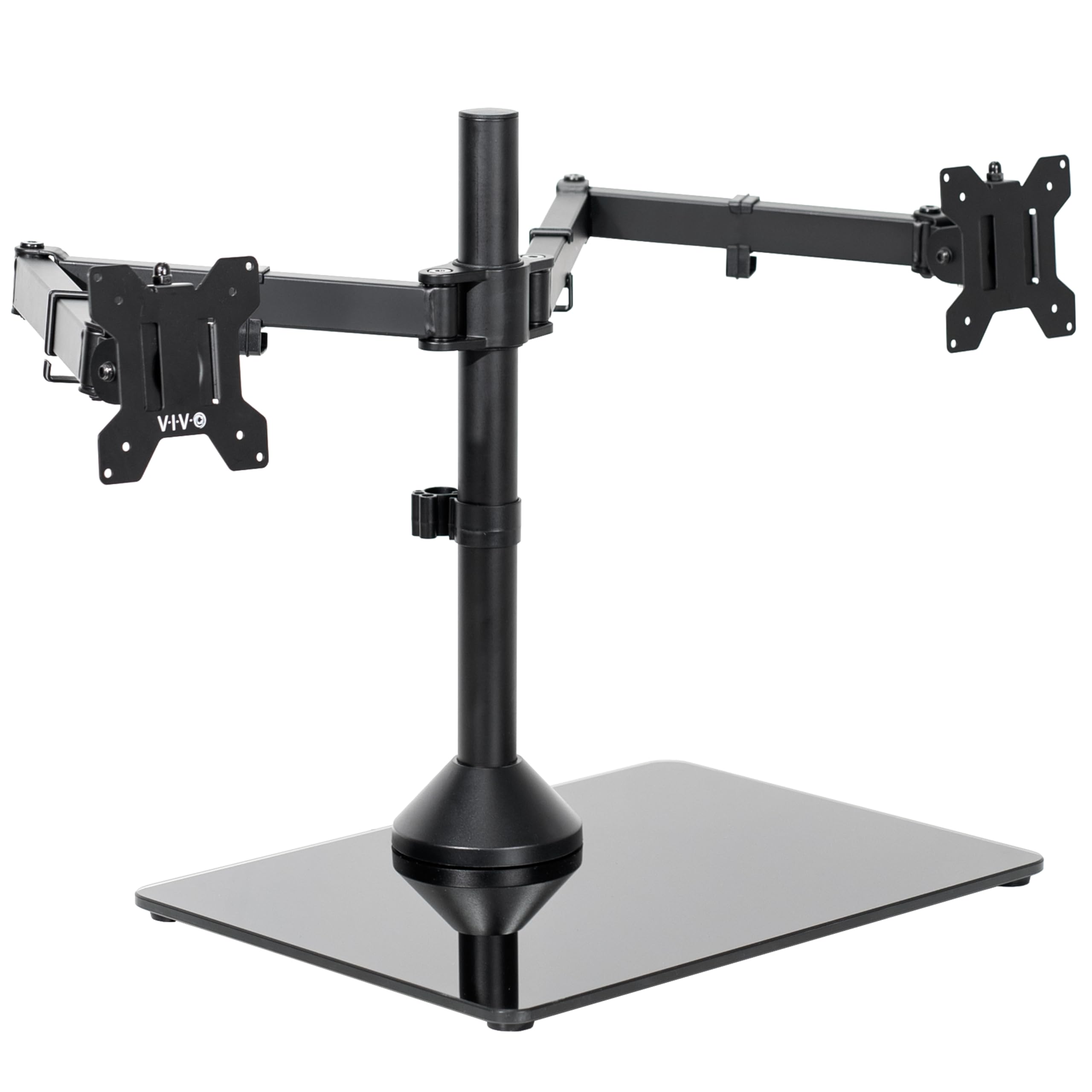
2,000+ ratings
Read Amazon ReviewsVIVO STAND-V038FG Dual Ultrawide Mount
Choose between these if you want a freestanding mount for two ultrawides within the same size and weight limits.
The STAND-V038FG may appeal if you prefer its tempered-glass base, while the STAND-V038F has a slightly narrower stated base width; compare the available desk footprint and preferred base material.
- The STAND-V038FG also supports two 13-to-38-inch screens up to 22 pounds each, but uses a tempered-glass base measuring 17 by 12.8 inches; its pole and arms are steel.
- The STAND-V038F is a freestanding dual-screen mount with a 16.3-by-12.8-inch base, articulation, and a 22-pound limit per monitor.
Computer Monitor Arms alternative
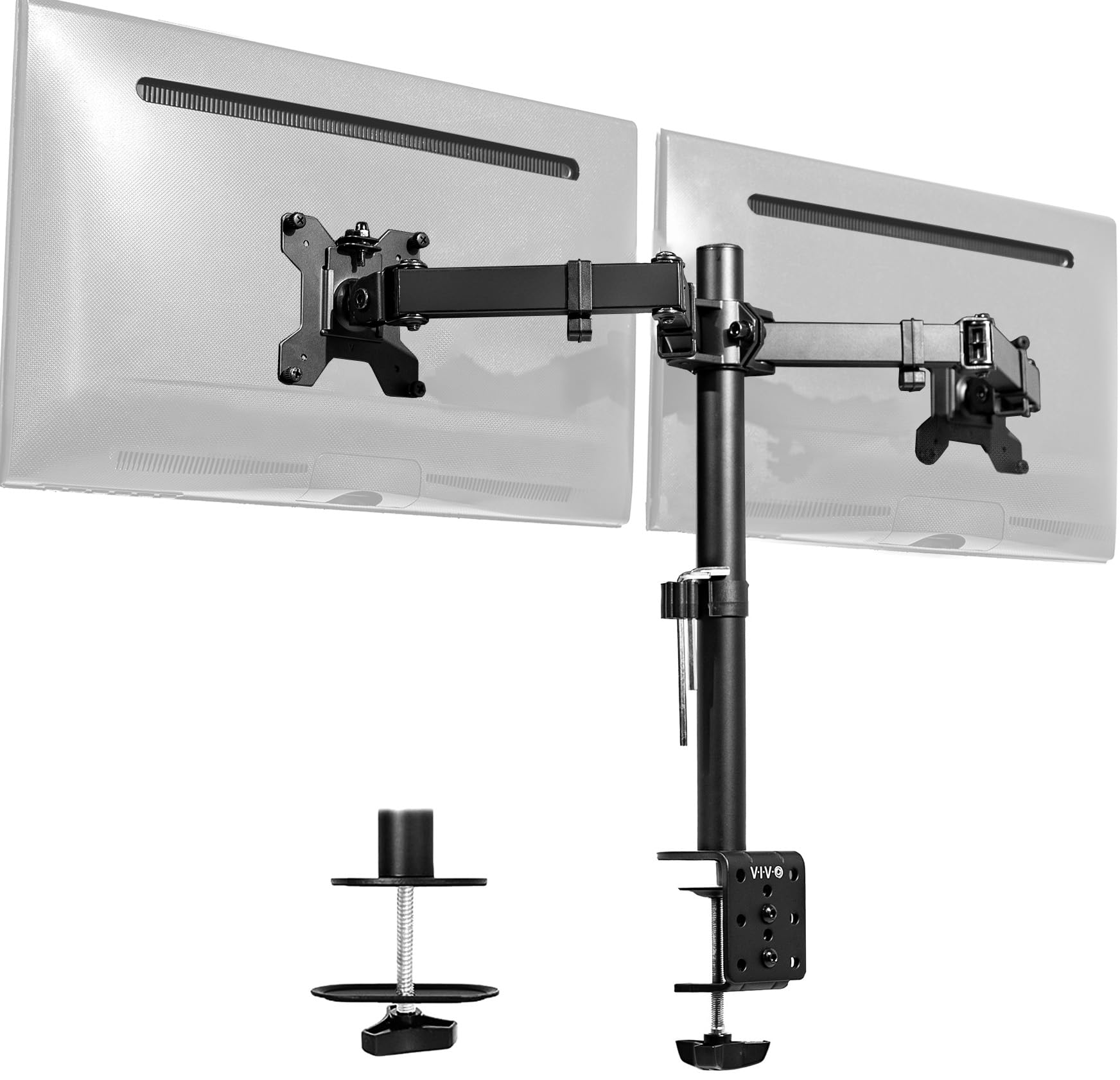
60,000+ ratings
Read Amazon ReviewsVIVO STAND-V002 Dual Monitor Desk Mount
Consider the STAND-V002 if your monitors are no larger than 30 inches and you prefer to secure the mount to the desk with a clamp or grommet.
The STAND-V038F is the better fit when you need support for screens up to 38 inches and want a freestanding base.
- The STAND-V002 is a clamp or grommet-mounted dual-screen stand for monitors from 13 to 30 inches and up to 22 pounds each.
- It offers similar tilt, swivel, rotation, pole height adjustment, and cable clips.
- The STAND-V038F supports screens up to 38 inches on a freestanding base and cautions against excessive forward or backward positioning unless bolted down.
Is VIVO Dual Mount Worth It?
The VIVO STAND-V038F is worth considering for a two-monitor desk where a freestanding base is preferred and both screens fit its VESA, size, and weight limits.
Its broad articulation range, cable clips, padded base, and included assembly hardware make it a practical configuration option.
Buy it only after measuring for the base and planning screen placement within the stability guidance. If desk space is tight or your setup requires a desk-secured mount, choose a design whose mounting approach better fits the workspace.
Your review at a glance
16,000+ ratings
Read Amazon ReviewsVIVO STAND-V038F Dual Monitor Mount
A freestanding dual-screen mount for desk users pairing compatible monitors, including ultrawides, who want adjustable positioning without a clamp.
- Holds two monitors measuring 13 to 38 inches, with a maximum weight of 22 pounds per screen.
- Fits monitors with 75x75mm or 100x100mm VESA mounting holes.
- Offers +90° to -90° tilt, 180° swivel, 360° rotation, and height adjustment along the center pole.
- Uses a freestanding base measuring 16.3 by 12.8 inches, with padding underneath to help protect the desk.